LinkedIn can feel like a wild place to a lot of us.
One minute you're scrolling through job updates and marketing tips, and the next you’ve accidentally wandered into someone’s “I proposed to my girlfriend this weekend. Here's what it taught me about B2B sales” engagement story that somehow gets 30,000 likes.
And listen, we’re not here to dunk on love (congratulations, by the way), but in LinkedIn’s ocean of humblebrags, algorithm bait, and recycled “thrilled to announce” posts, it’s getting harder and harder to actually stand out — in a good way.
That’s where a great banner can make all the difference.
View your LinkedIn banner as your digital billboard, your branding moment, your chance to quietly scream “I know what I’m doing” before anyone even reads a single word of your profile.
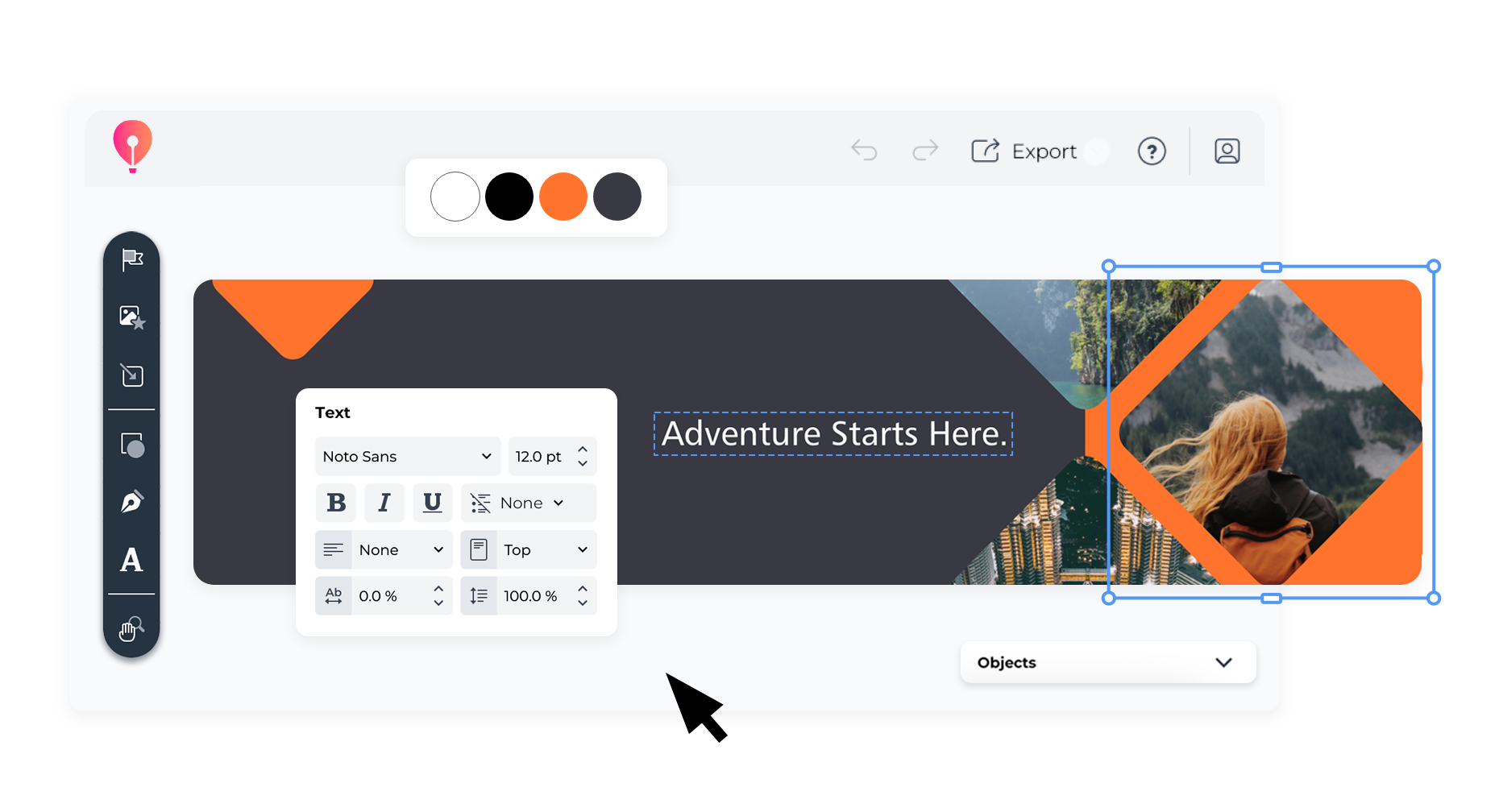
And with CorelDRAW Go you can make that banner look like you hired a designer, without, you know... hiring a designer.
What’s a LinkedIn banner?
Your LinkedIn banner is that big rectangle at the top of your LinkedIn profile.
It’s your profile’s digital version of a firm handshake.
What do LinkedIn banners do?
A great banner adds context to who you are and what you do, before people even read your name. It can:
- Reinforce your personal or company brand.
- Promote your offer or role.
- Show off your niche (visually).
- Make you memorable beyond the “I’m passionate about connecting people” headline.
Bad LinkedIn banner design, on the other hand?
It doesn't just go unnoticed, but it actively works against you. Blurry, off-brand, or poorly cropped visuals send the wrong message before you’ve even said a word.
What does a LinkedIn background do?
“Banner” and “background” are often used interchangeably, as they both refer to the same visual header at the top of your profile.
Think of your LinkedIn background as the atmosphere for your brand. Your profile pic might say “Hi, I’m professional”, but your background can say “Here’s what I’m about.”
Strong LinkedIn background branding can:
- Highlight your expertise or mission.
- Visually reflect your industry.
- Add personality.
Where LinkedIn banners and backgrounds appear
Your banner shows up more than you think. It’s visible:
- On your main profile page.
- When someone clicks your name from a comment or post.
- In group discussions.
- When you apply for jobs (yes, hiring managers do peek at it).
- Inside recruiter dashboards.
Basically, everywhere your name shows up on LinkedIn, your LinkedIn background graphics tag along too.
How do I upload a LinkedIn banner and background?
Ready to swap out that default blue swirl?
That’s what I like to hear! Here's how to do it:
Step 1: Go to your profile
Click on your profile photo in the top nav, then hit “View Profile.”
Step 2: Hover over the banner area
A camera icon will appear in the top-right corner of your banner space. Click it.
Step 3: Upload your banner
Choose a JPG or PNG file that's under 8MB and sized to 1584 x 396 pixels.
Be sure to center key elements, like text, logos, or photos, since LinkedIn crops banners differently on mobile and desktop. You don’t want your slogan cut in half.
If you’re starting from scratch, try a LinkedIn banner template to avoid cropping issues and keep your layout clean.
Step 4: Hit “Apply”
You’re done. Your banner is now quietly doing what it does best — LinkedIn banner branding that works before you type a single word.
7 best practices for making your LinkedIn banners more memorable
Instead of blending in with all the navy suits and “data-driven disruptor” energy of LinkedIn Land, become the mayor, or at least the person people actually remember, by following these steps.
1. Stay in the safe zone
Don’t put text or key visuals near the edges. LinkedIn crops banners in all kinds of wild ways. Keep content centered.
Luckily, CorelDRAW Go’s LinkedIn background template have built-in guides for safe zones. Use them.
2. Keep it simple, but not boring
One clean image > five random ones.
A clear tagline > three vague value props.
You’re not making a collage, you’re making a statement.
3. Make it match your vibe
If your profile picture is polished and professional, don’t drop in a chaotic, bright banner with Comic Sans. Cohesion builds trust.
Think:
- Brand colors.
- Typography that matches your posts.
- Mood that reflects your industry.
Pro tip: look at others in your space for LinkedIn background ideas that fit your tone, then build from there.
4. Add a subtle CTA
Your banner can nudge people to take action — softly.
Try:
- “Let’s connect”
- “Explore my work”
- “Speaking at [event name]”
5. Use Bold, On-Brand Colors
Muted grey on beige? No thanks.
High-contrast visuals draw the eye. Be bold — but stay within your brand’s look.
6. Avoid stock photo syndrome
If your banner looks like it came from the first page of Shutterstock, change it. You’re not a template.
Design something original. Add your logo. Use icons. Feature a real photo from your business.
Bonus points if it doesn’t involve a handshake or “business people smiling at a whiteboard.”
7. Keep it updated
Your banner should evolve with you:
- New job = new banner.
- New product = new banner.
- Big event coming up? You guessed it — new banner.
Set a calendar reminder to refresh it quarterly. Your future self (and your audience) will thank you. It’s one of those underrated LinkedIn profile tips that actually pays off.
Because keeping your visuals up to date is one of the simplest but most overlooked LinkedIn best practices.
5 examples of prominent LinkedIn folks with great banners
Need inspiration? These people get LinkedIn banner graphics.
Each one uses that top-of-profile real estate to reinforce their personal brand, communicate value, and leave a lasting impression, all before you even scroll.
Get inspired, but make sure to customize it.
Amanda Natividad
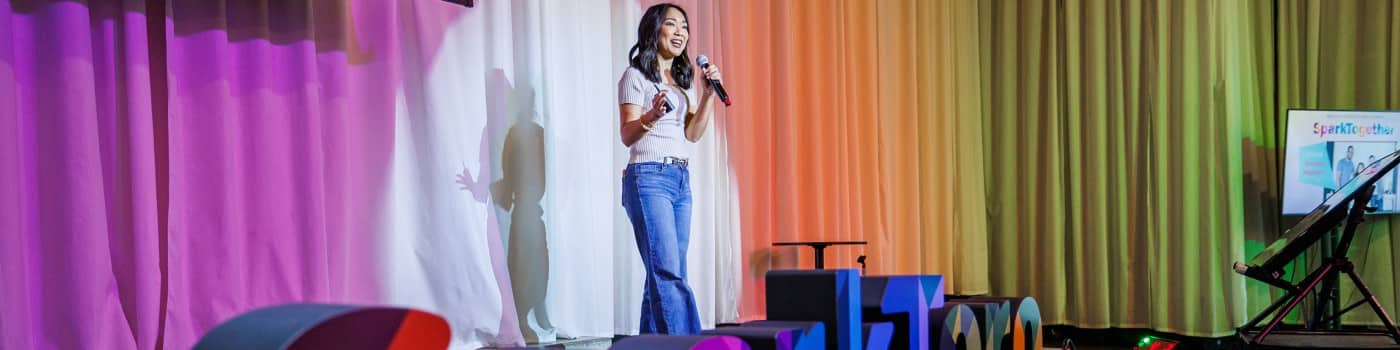
Amanda’s banner captures a real moment: Mid-talk, mid-stage, mid-delivering value.
It’s not heavy on text or branding, and that’s the point. The photo tells you what you need to know: She’s a speaker, a presence, and someone who shows up with insight.
A strong photo can be just as memorable as a designed banner — when it actually shows you doing the work.
Jacqueline Twillie
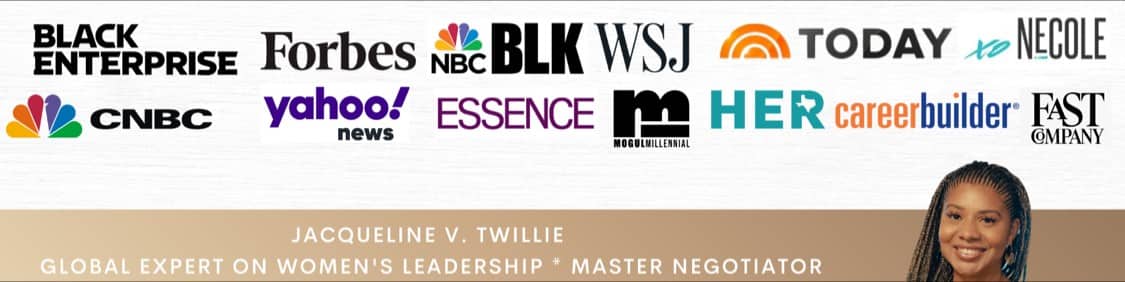
Jacqueline’s banner leads with credibility, featuring a wall of media logos that immediately signals authority and reach.
The design is clean and professional, with her name and title (Global Expert on Women’s Leadership and Master Negotiator) front and center.
It’s the kind of banner that says, “I don’t just talk about leadership , I’ve been recognized for it.”
Purna Virji
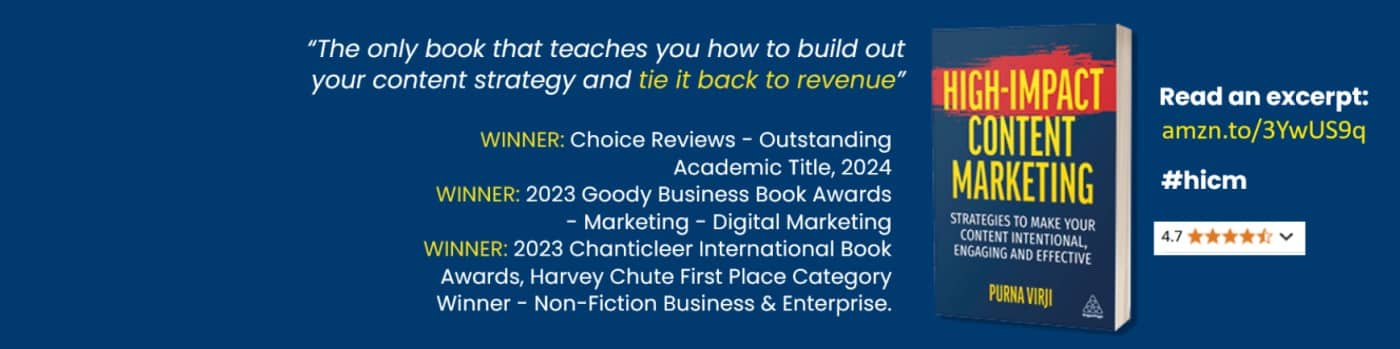
Purna’s banner goes all in on her book — and it works.
With a clear quote, multiple award wins, and a direct link to an excerpt, it’s structured like a mini-billboard for her book.
The layout is clean, the colors are bold, and the message is sharp. If your banner’s goal is to drive interest in your work, this is how you do it without wasting space.
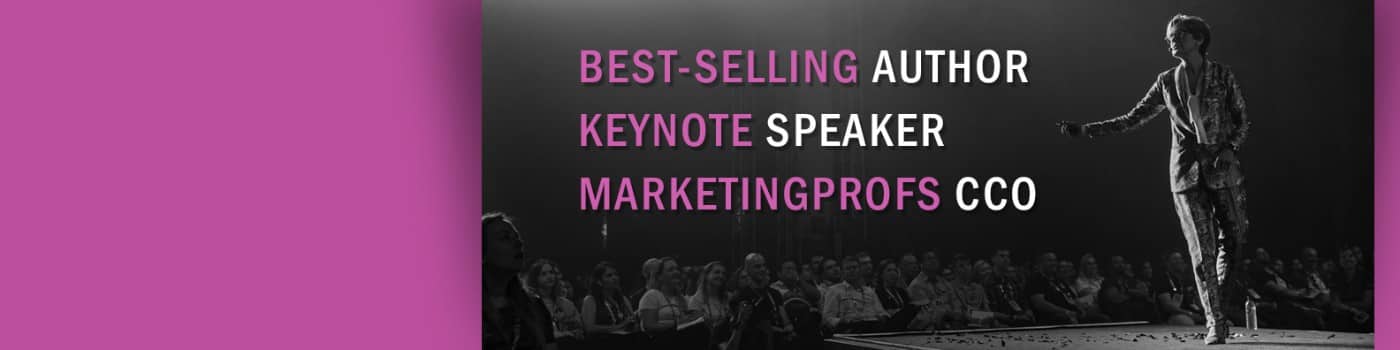
Ann Handley
Ann’s banner doesn’t waste time. It tells you exactly who she is, what she does, and why you should care, all in three bold lines.
It’s high-impact, high-contrast, and zero fluff. The split layout (stage photo + punchy text) reinforces her personal brand.
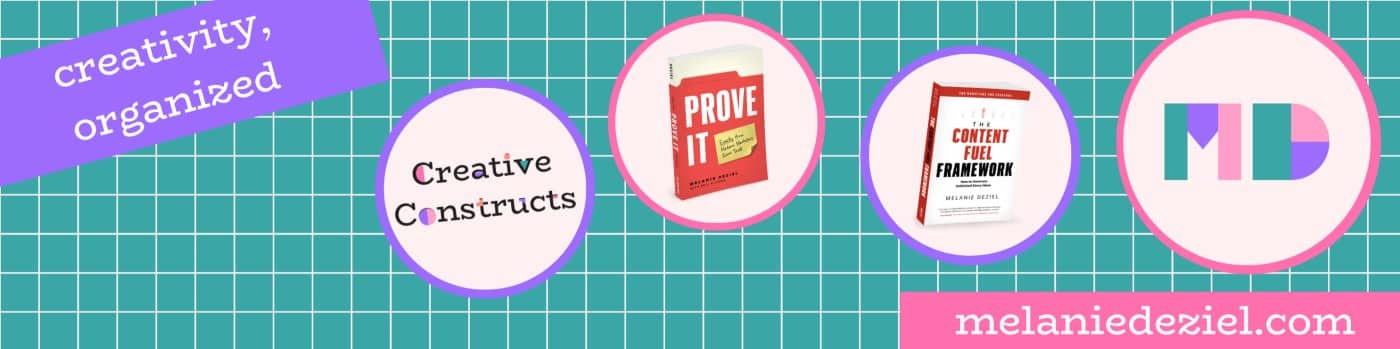
Melanie Deziel
Melanie’s banner is visually bold and well-structured, featuring her name, branded visuals, and two of her published books.
The grid layout and bright palette give it a sense of order and creativity, while the inclusion of her website makes it easy to explore more.
It’s colorful, clear, and confidently communicates her brand at a glance
How to craft a LinkedIn banner that looks professional and gets you noticed with CorelDRAW Go
You don’t need Photoshop. You don’t need to DM your designer friend.
You just need CorelDRAW Go and its many templates to spark great LinkedIn banner ideas.
With drag-and-drop tools and pre-built layouts, it's easy to test different LinkedIn background design options that align with your brand — no graphic design degree required.
On a platform where everyone is tying life events back to marketing in ways like:
“My dog threw up this morning. Here’s what it taught me about nurturing leads,”
you don’t need to scream to stand out.
You just need a banner that shows you’re polished, intentional, and worth paying attention to.
Meet the experts:
Emilie Schäfferling is a storyteller who blends data-driven insights with creative expression, turning complex ideas into clear, engaging narratives that make even advanced information accessible to a wide audience.
With a background in creative disciplines, Emilie has a unique skill set that helps her break down complicated concepts into meaningful, concise insights. Her storytelling approach serves a dual purpose: simplifying information while connecting with audiences on a personal level.