How Lukman Febrianto puts AI tools to work in CorelDRAW Graphics Suite 2026
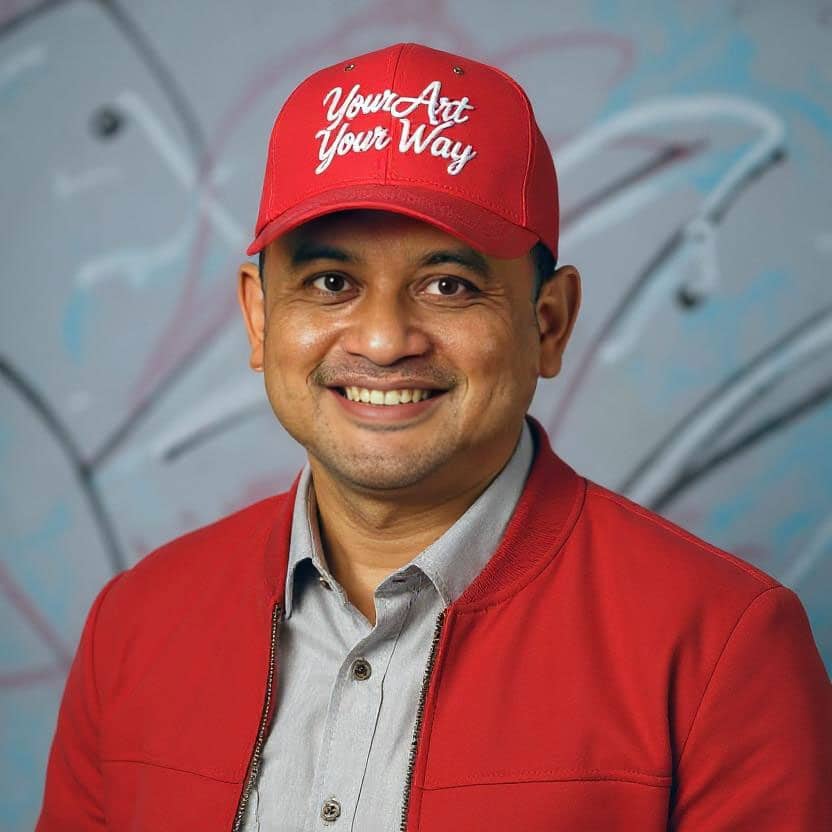
Lukman Febrianto
ADS Digital Partner | Creative Department Head Graphic Design Freelancer
When Lukman Febrianto, Graphic Designer, got access to CorelDRAW Graphics Suite 2026, he was eager to explore what’s new. Here’s how he's using AI Generate in CorelDRAW to bring his ideas to life.
Indonesia
Q&A with designer Lukman Febrianto
Q: Tell us about your work and how CorelDRAW fits into it.
A: I work full time at an information technology company that develops custom software for government agencies and private organizations. As part of the creative team, I handle a wide range of visual work, including marketing kits, software packaging, presentation videos, and social media content.
Outside of my full-time role, I also work as a freelance designer, taking on various client projects.
CorelDRAW plays a central role in my workflow, especially for projects that require precision and control in vector design. It allows me to execute detailed concepts efficiently and maintain consistency across different types of visual assets.
Q: How long have you been using CorelDRAW?
A: CorelDRAW was the first graphic design software I ever used. I started working with it in August 1995 while working at a printing company, beginning with version 3. Since then, it has remained a core part of my design journey.
Q: What is your favorite CorelDRAW feature and why?
A: One of my favorite features in CorelDRAW is the Shaping tool. It significantly speeds up my workflow, especially when reconstructing or customizing typography—such as redrawing fonts from logo references when the original font isn’t available. It gives me the flexibility to create precise vector forms quickly and efficiently.
Artwork



Q: What excites you most about CorelDRAW Graphics Suite 2026 and why?
A: I’ve been exploring AI-generated imagery since the early days of DALL·E 2 in 2022, mainly to create custom visuals when stock images didn’t meet my needs.
What excites me about CorelDRAW Graphics Suite 2026 is how it integrates AI directly into the design workflow. Rather than feeling late, the timing feels right—AI technology has matured significantly, and the quality of generated images today is far more reliable and usable.
The AI Generate feature stands out as a major step forward. It empowers designers to create and refine visual elements directly within CorelDRAW, making the creative process faster, more flexible, and more integrated.
Lukman Febrianto
Creative Department Head, ADS Digital Partner
Q: How are you using AI Generate in your workflow?
A: I use AI Generate primarily to enhance and edit images, as well as to create mockups for packaging and merchandise designs. It helps me quickly visualize ideas and produce assets that fit seamlessly into my design compositions.
Q: How are you using AI Background Remover in your workflow?
A: I use it to quickly isolate subjects from their backgrounds, whether it’s people or objects, and integrate them into my designs. It significantly speeds up the compositing process.
Q: Have any of the new features and enhancements changed how you work?
A: Yes, the AI Generate feature has streamlined my workflow. Previously, I relied on external AI platforms to generate or edit images, which required switching between tools. Now, I can handle much of that process directly within CorelDRAW.
This not only saves time but also reduces dependency on additional tools, making the entire workflow more efficient and cost-effective.
Q: What are your best tips and tricks when working with CorelDRAW?
A: Understanding how to use Objects and Layers effectively is essential. CorelDRAW has long provided a powerful object-based workflow, allowing designers to organize elements clearly and work non-destructively.
Mastering this structure makes it much easier to manage complex designs, experiment with compositions, and maintain control over every element in the project.
Q: What would you tell other designers considering CorelDRAW Graphics Suite 2026?
A: If you’re already working with any design software, CorelDRAW Graphics Suite 2026 offers a compelling advantage by integrating AI directly into the design environment.
The AI Generate docker/inspector allows you to create and refine bitmap elements without relying on external tools or services. This can significantly improve efficiency, reduce costs, and streamline your overall creative workflow.


Start designing with CorelDRAW
Try CorelDRAW today for free, and take advantage of powerful tools for vector illustration, page layout, and more.
Start creating today!