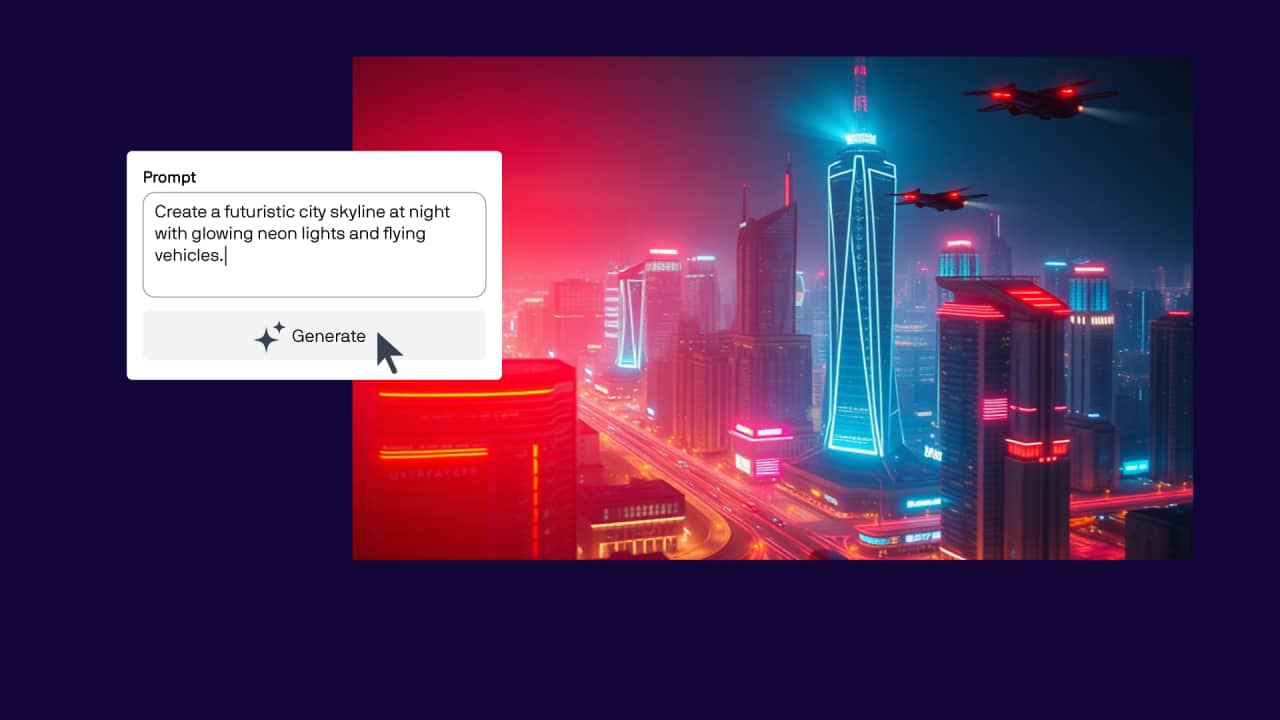
Open the AI Generate docker
The AI Generate docker is open by default in most workspaces.
If it’s not visible:
- Click the + sign in the Dockers panel
- Select AI Generate
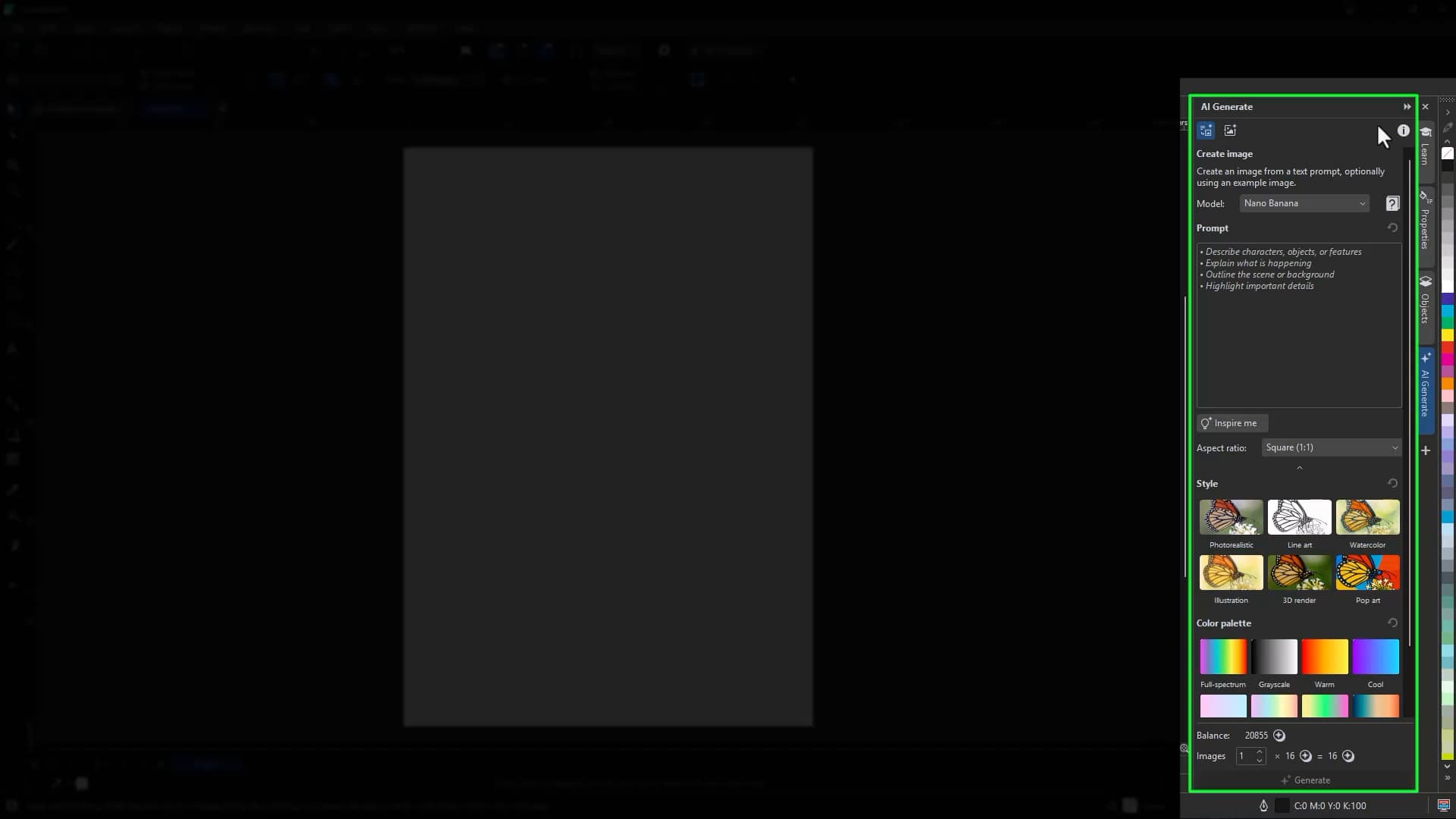
At the top of the docker, you’ll find:
- Access to AI guidance and workflows
- The Information tab for details about AI tools, credits, and usage
- Icons for Create Image and Remix Image
Understand AI models and credits
Each AI model consumes a specific number of credits per generation. Your available credits are shared across eligible Corel products and licenses.
- Subscribers receive recurring monthly credits
- Perpetual license users receive a one-time credit allocation, with options to purchase more
To view your credit balance:
- Click Help > Account > Settings
- Select AI Credits
- View your total available credits in the Overview page
The AI Generate docker also displays credit usage per model so you can make informed decisions before generating.
Generate an image from a text prompt
Creating a new image is simple and flexible.
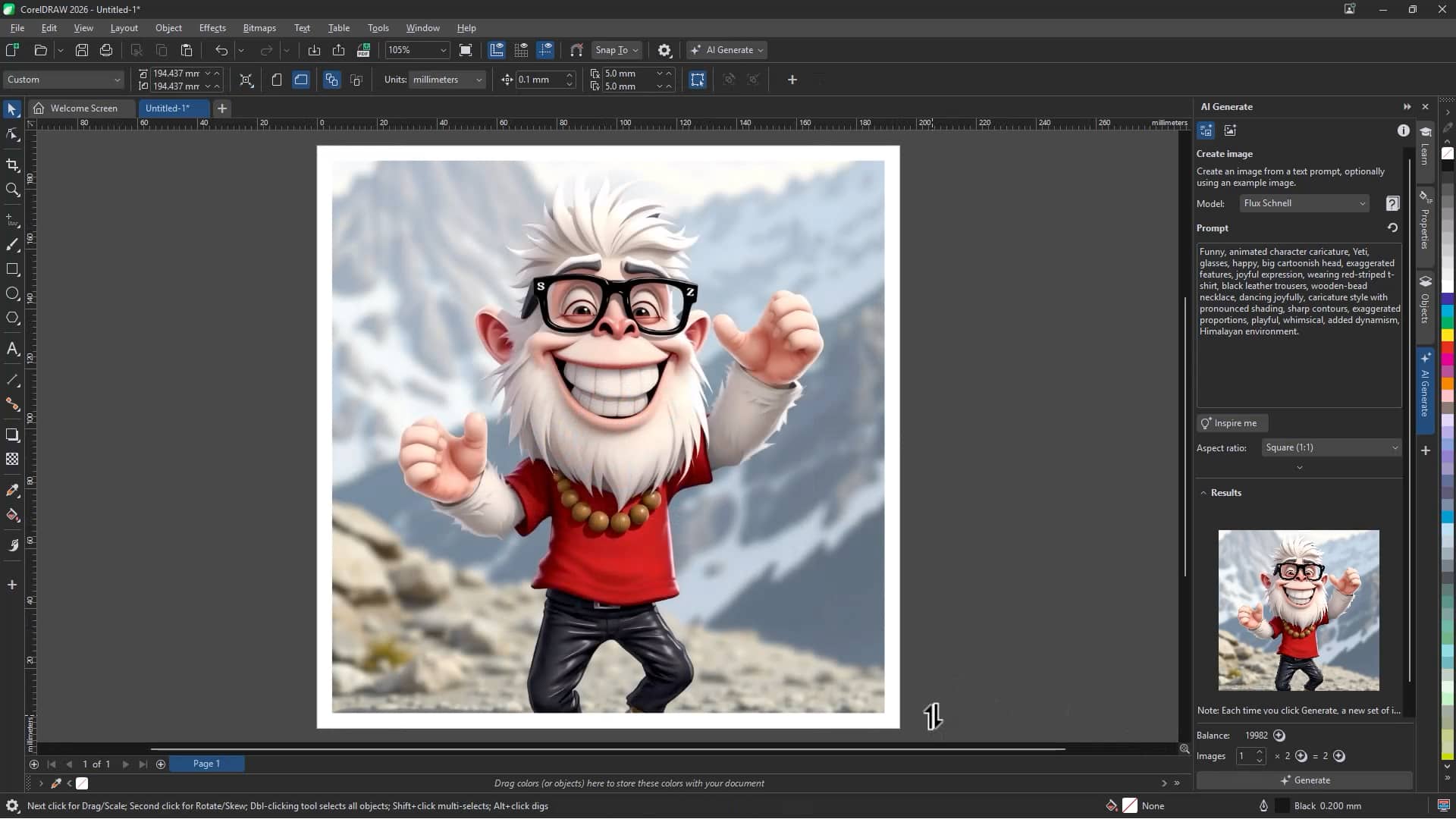
To generate an image:
- Click the Create Image icon
- Choose an AI model
- Select an aspect ratio (for example, portrait, square, landscape)
- Enter a descriptive prompt in the Prompt field
- If you need inspiration, click the Inspire me icon
- Optional: Select a Style preset or Color palette
- Click Generate
Each time you click Generate, a new set of results replaces the current preview. Insert any images you want to keep into your document before generating again.
Refine results with models and styles
Switching models can produce noticeably different results from the same prompt. For example, you can:
- Generate a detailed character illustration
- Switch models and generate a more stylized or minimal variation
- Apply the Line Art style preset to create a black-and-white illustration
Experimenting with models, aspect ratios, and styles allows you to quickly explore multiple creative directions.
Remix an existing image
In addition to creating new artwork, AI Generate allows you to remix and transform existing images without overhauling them completely.
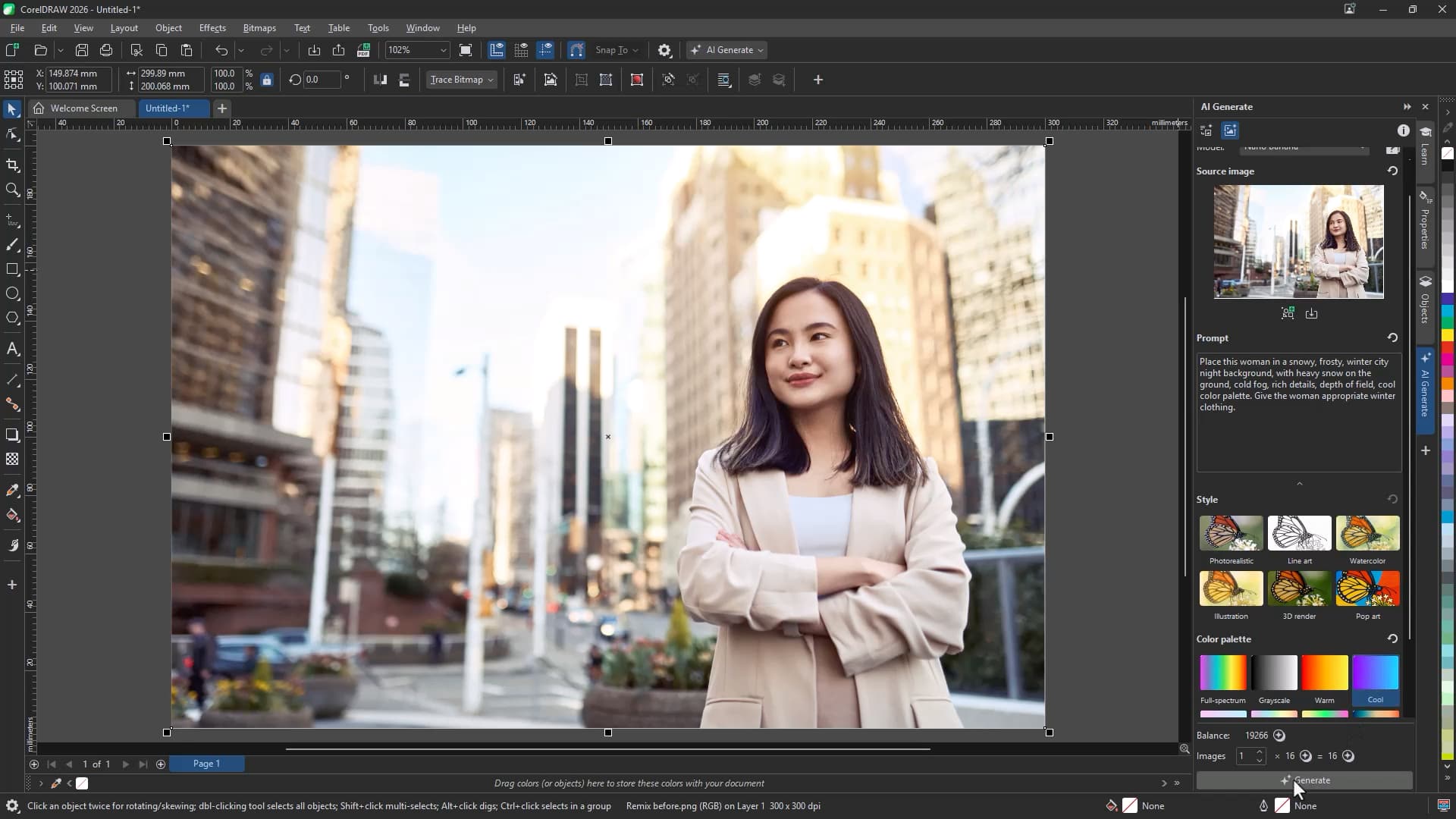
You can access Remix in two ways:
- Click the Remix Image icon in the AI Generate docker,
or - Go to Object > AI Generate > Remix Image
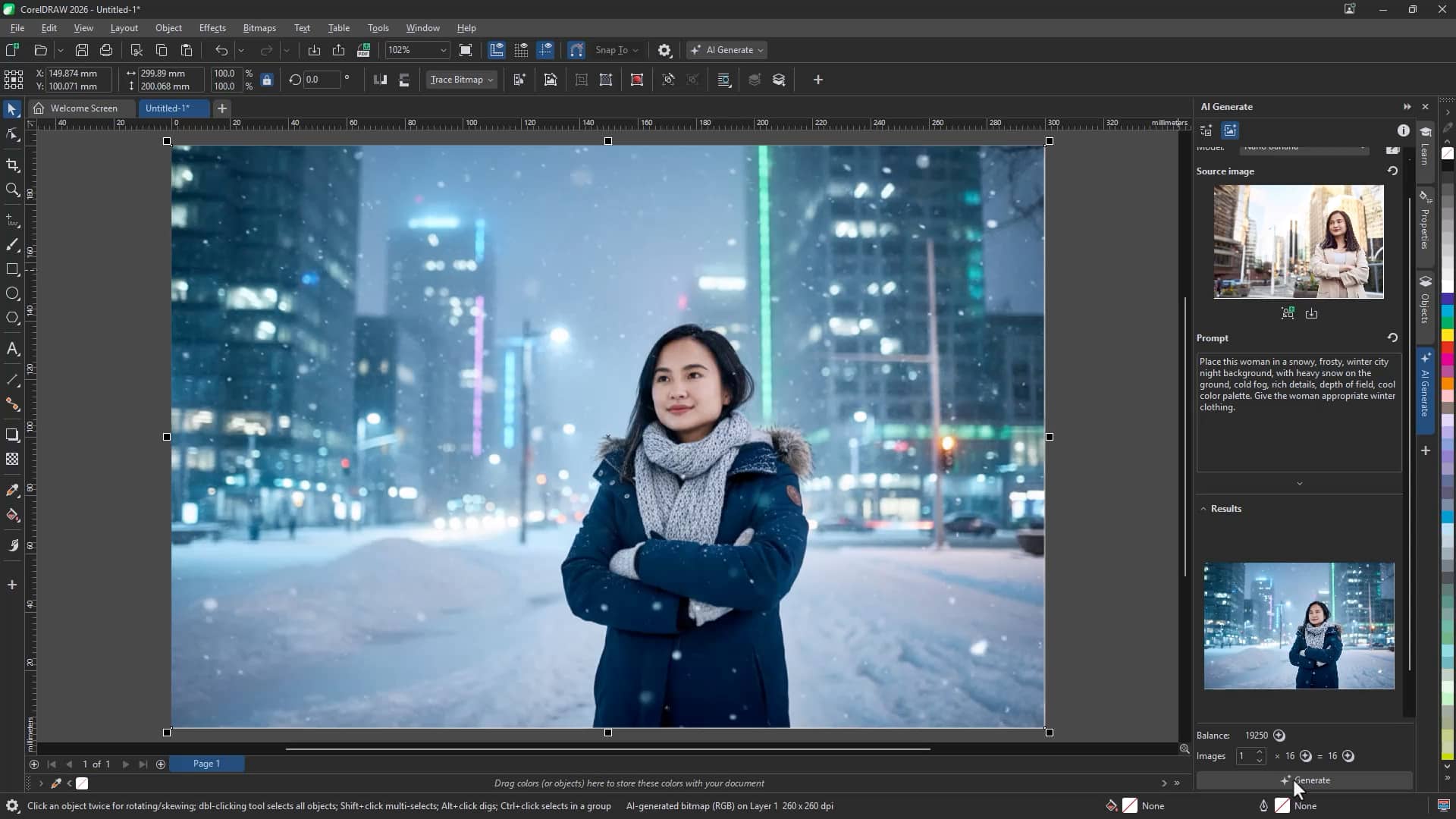
Create mockups with Remix Image
Remix Image is ideal for quickly visualizing designs in real-world contexts.
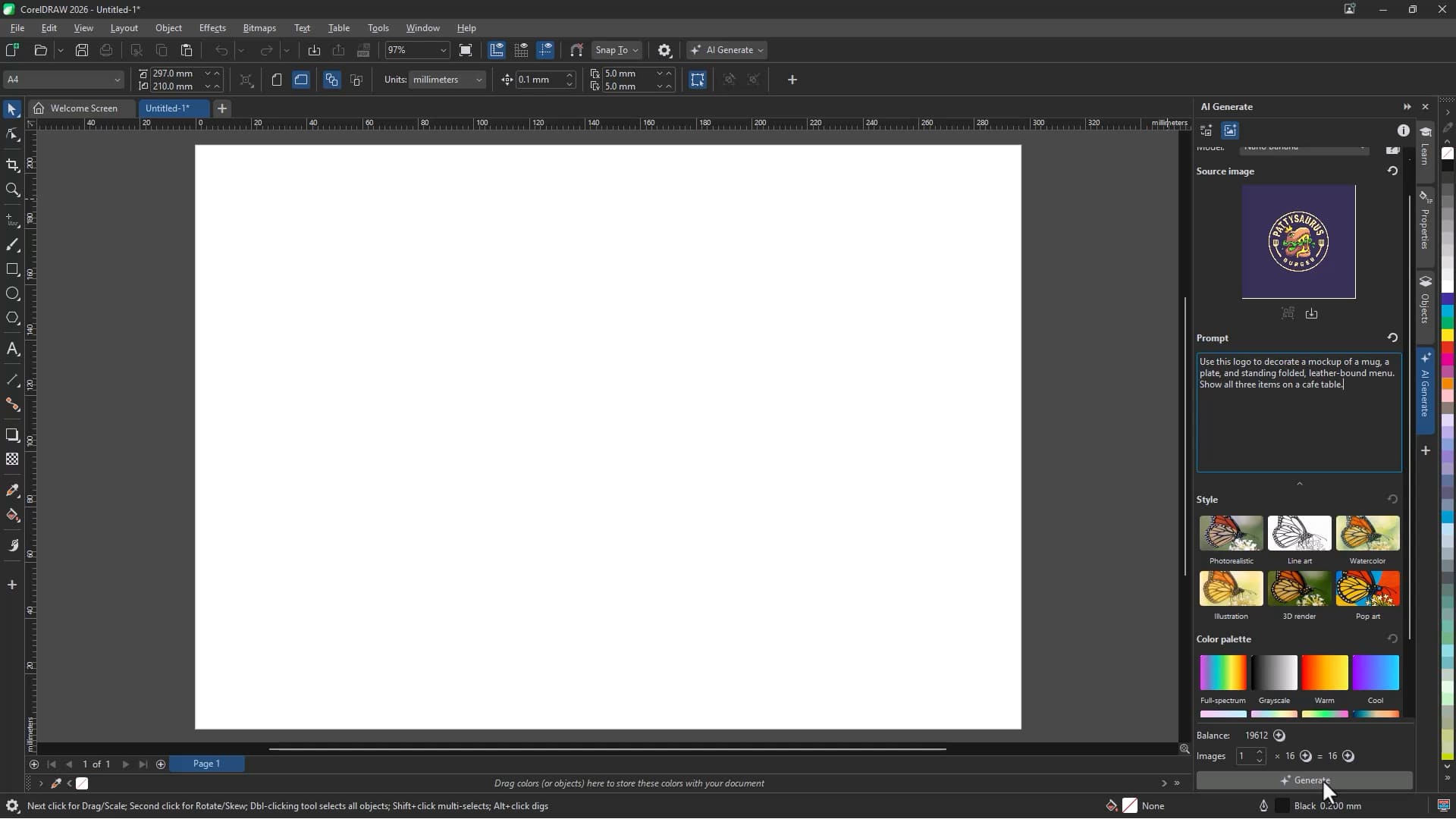
To remix a design into a mockup:
- Open the Remix Image workflow
- Load your design into the Source image field
- Enter a descriptive prompt explaining how you want the image transformed
- Choose an AI model
- Click Generate
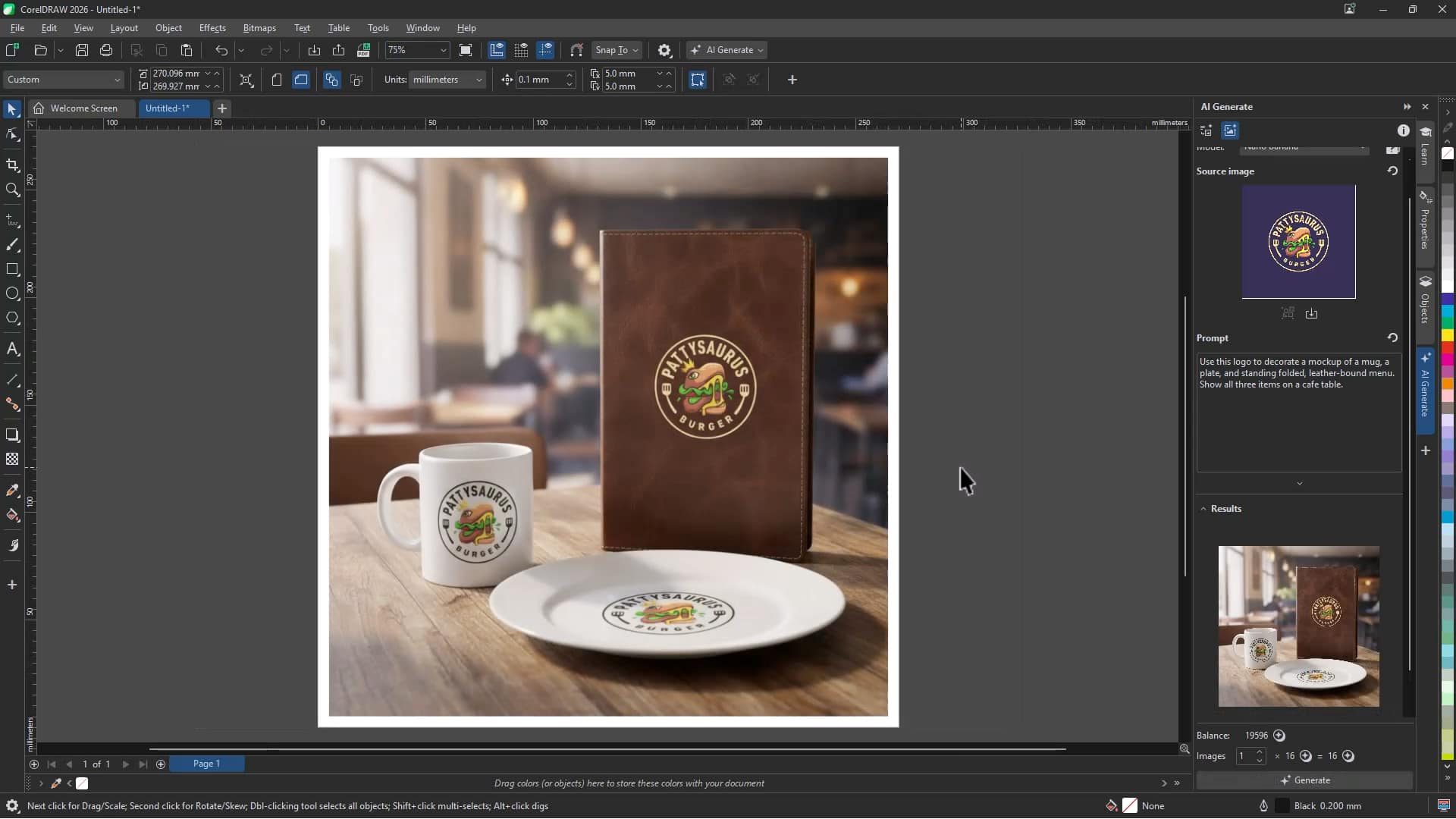
For example, you can place a logo onto:
- A photorealistic mug
- A notebook cover
- A folded standing menu
This is an efficient way to create presentation-ready mockups for client reviews.
Turn sketches into finished artwork
Remix Image can also transform hand-drawn sketches into polished illustrations.
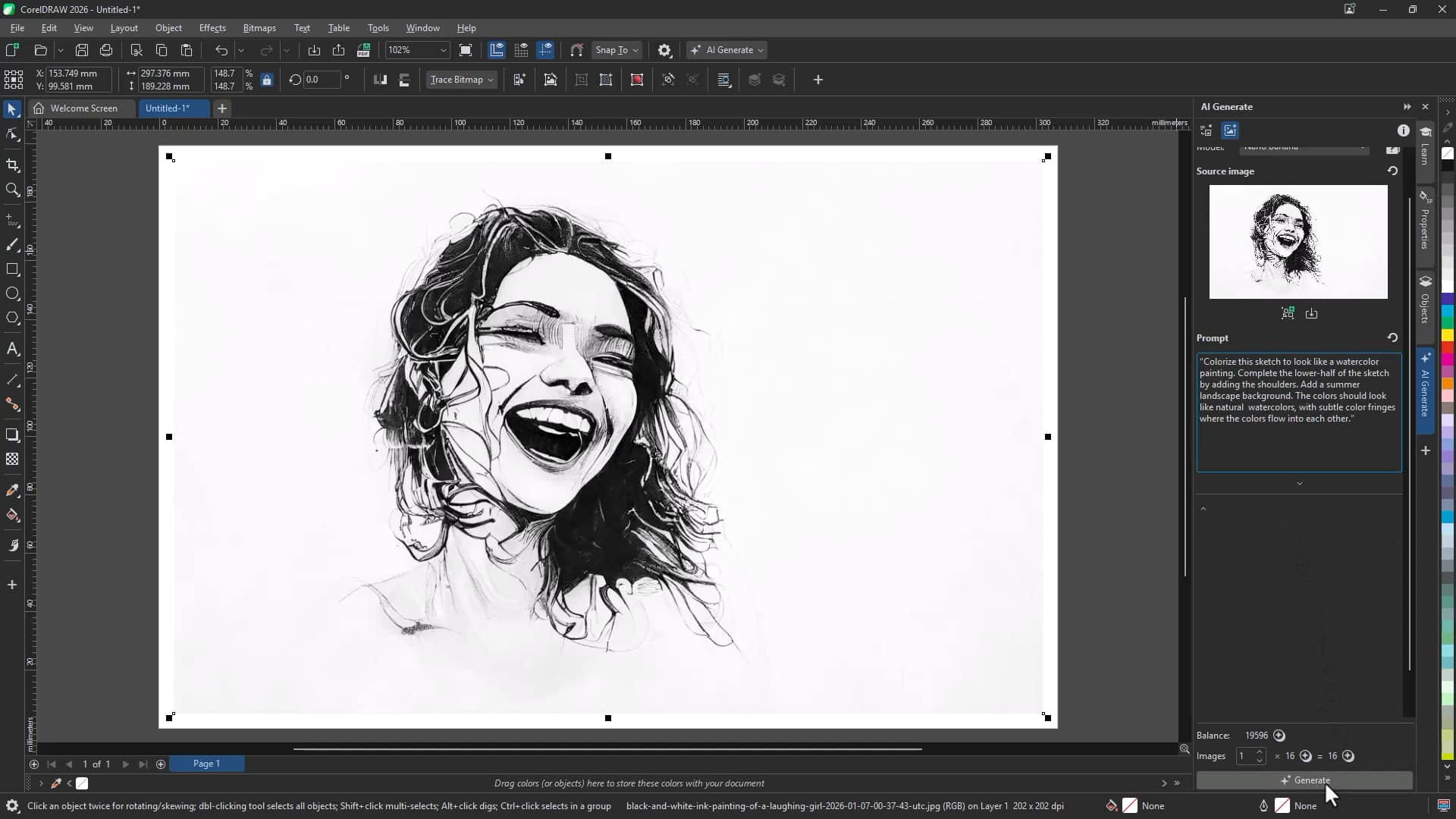
To create content from a sketch:
- Load the sketch into the Source image field
- Enter a prompt describing the desired transformation (for example, colorize, add background, extend composition)
- Select a model
- Click Generate
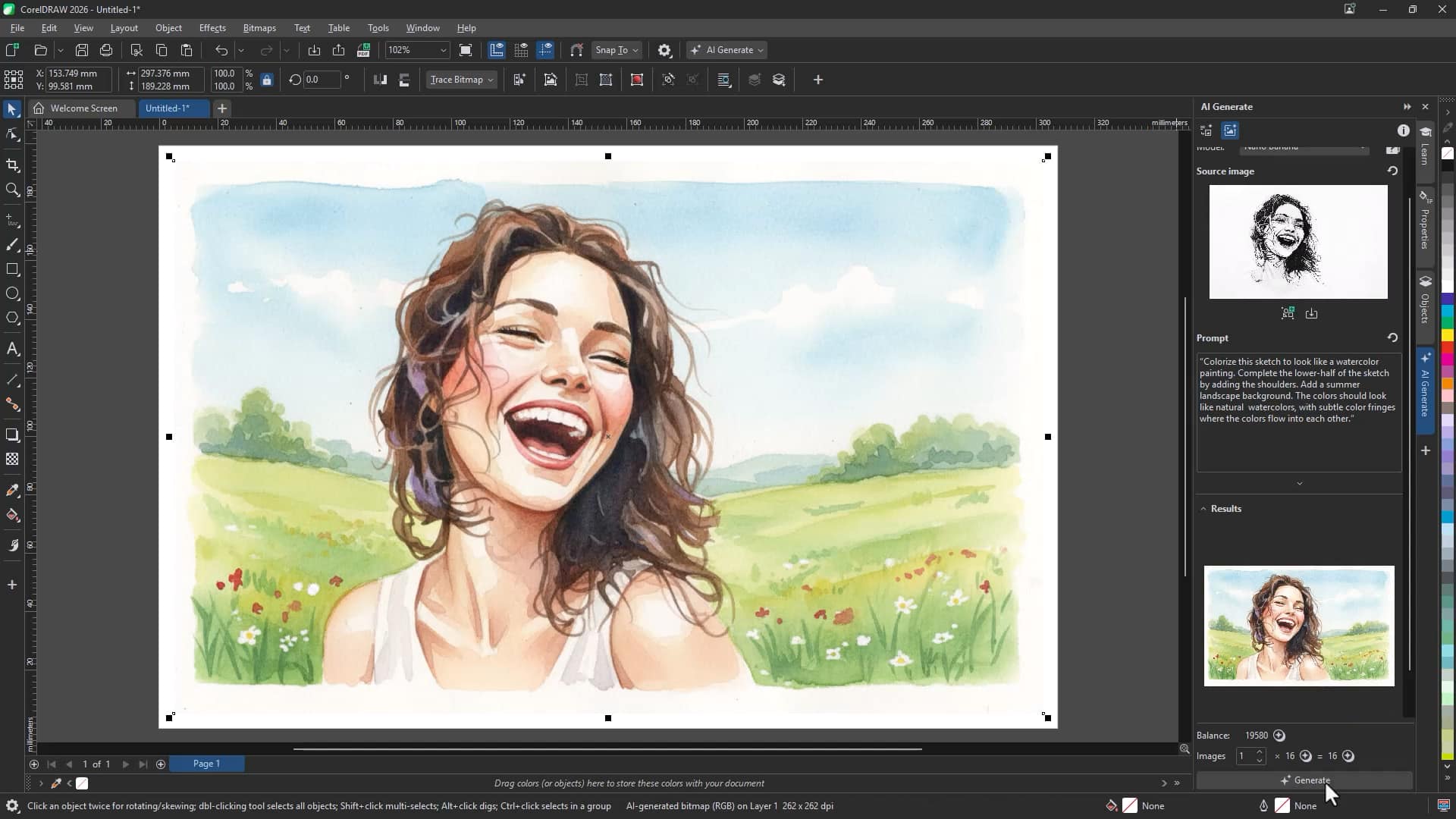
You can:
- Colorize black-and-white sketches
- Complete missing areas of a drawing
- Apply painterly or stylized effects
- Add backgrounds or environmental details
This workflow dramatically speeds up concept development.
Restore old photos
Remix Image can also help restore damaged or aging photographs.
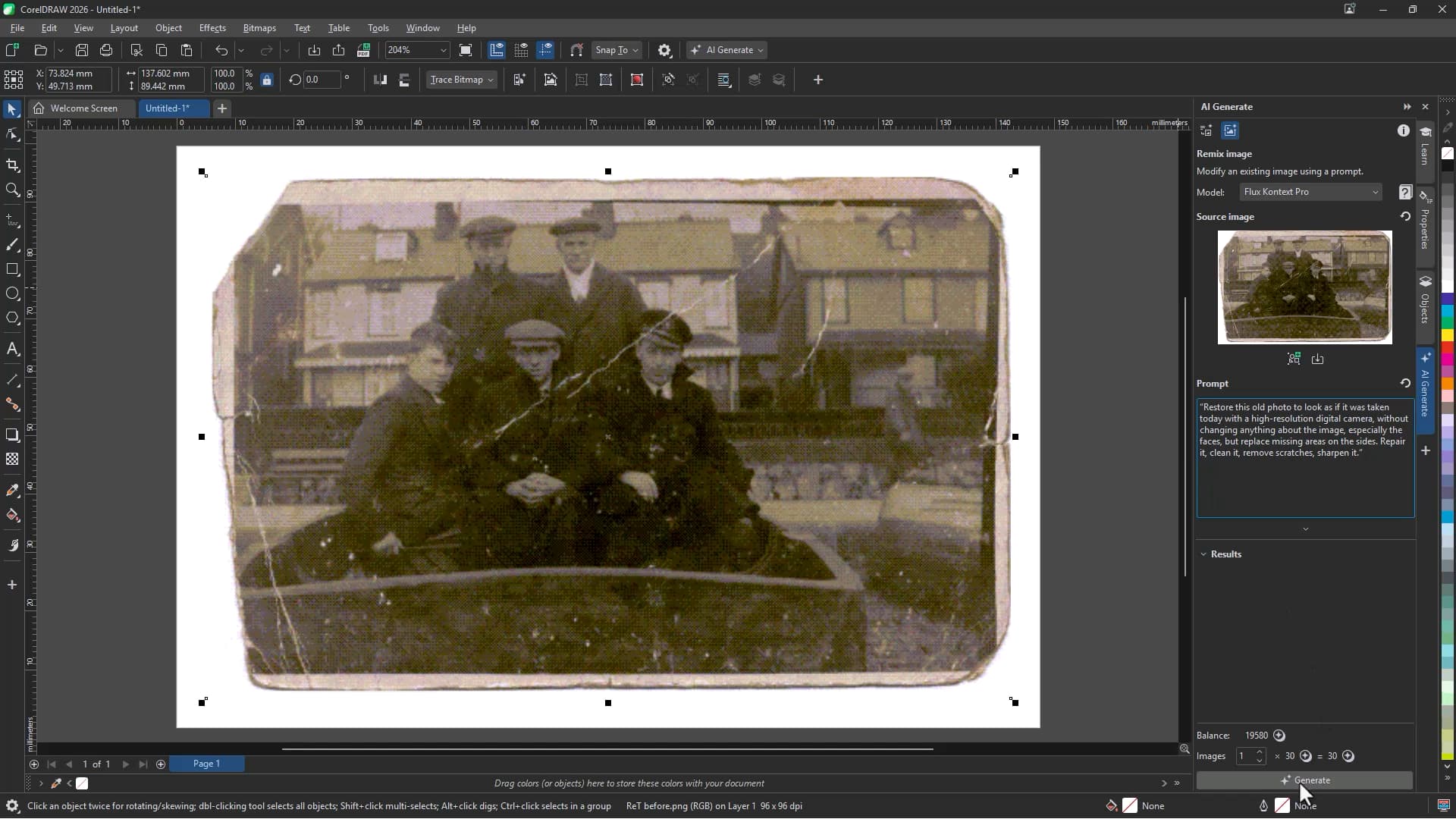
To restore a photo:
- Load the photo into the Source image field
- Enter a prompt describing the restoration goals (for example, repair scratches, restore missing areas, improve clarity)
- Choose a model
- Click Generate
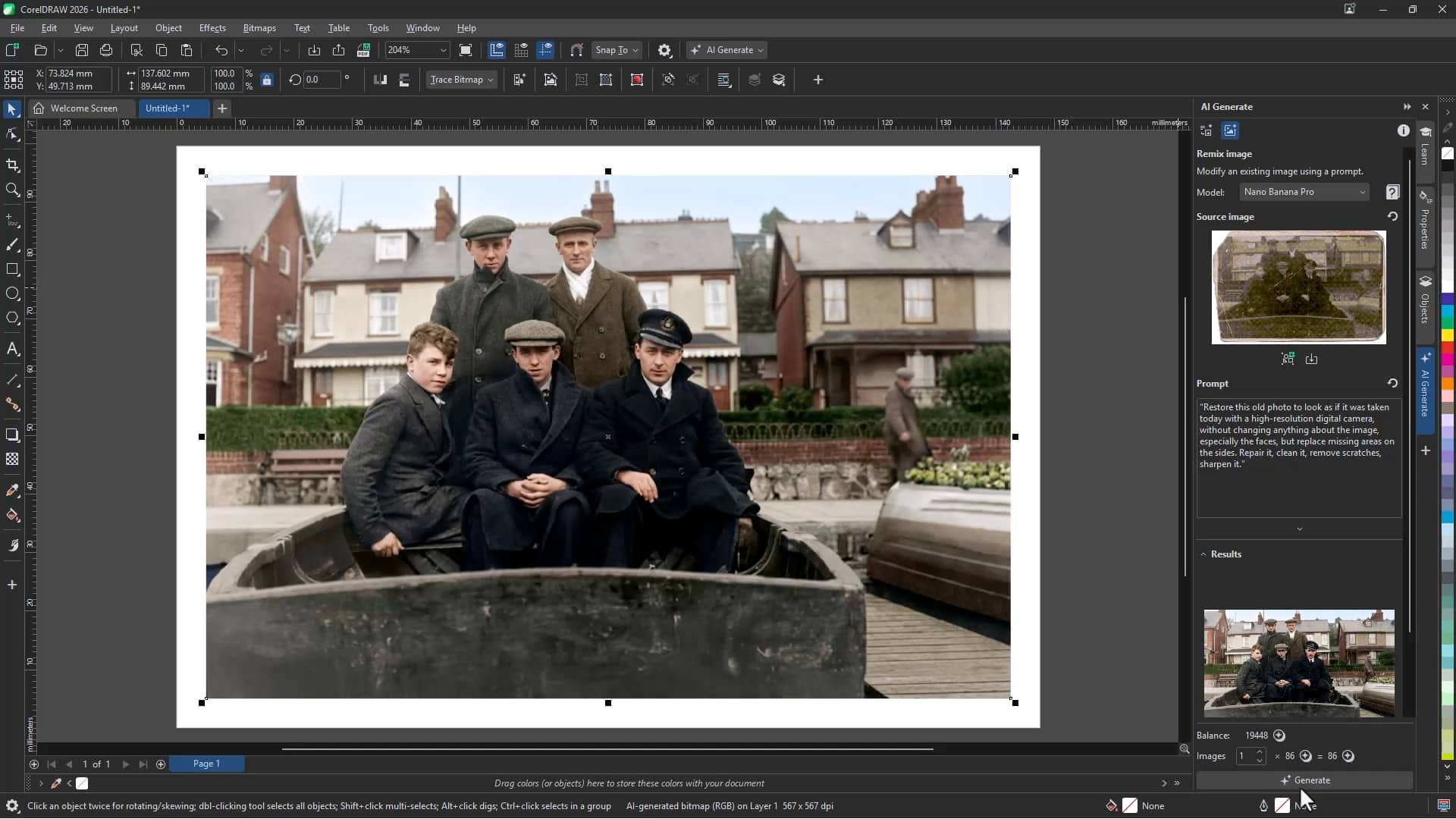
The result is a cleaner, enhanced version of the original image that maintains its key details.
Replace backgrounds
You can use Remix Image to change backgrounds without manually masking or compositing.
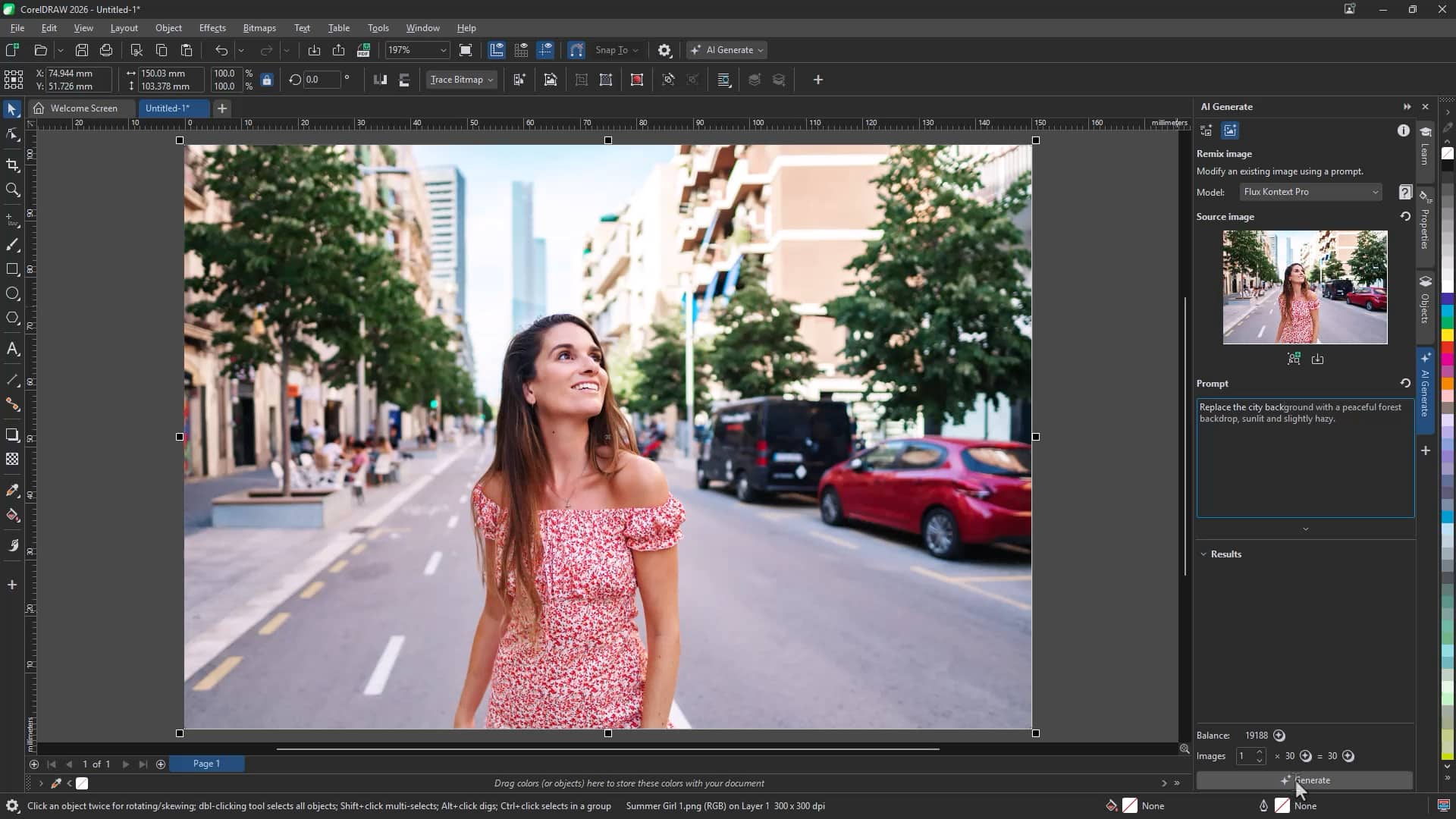
To replace a background:
- Open Remix Image
- Load an image from your document into the Source image field
- Enter a prompt describing the new background
- Click Generate
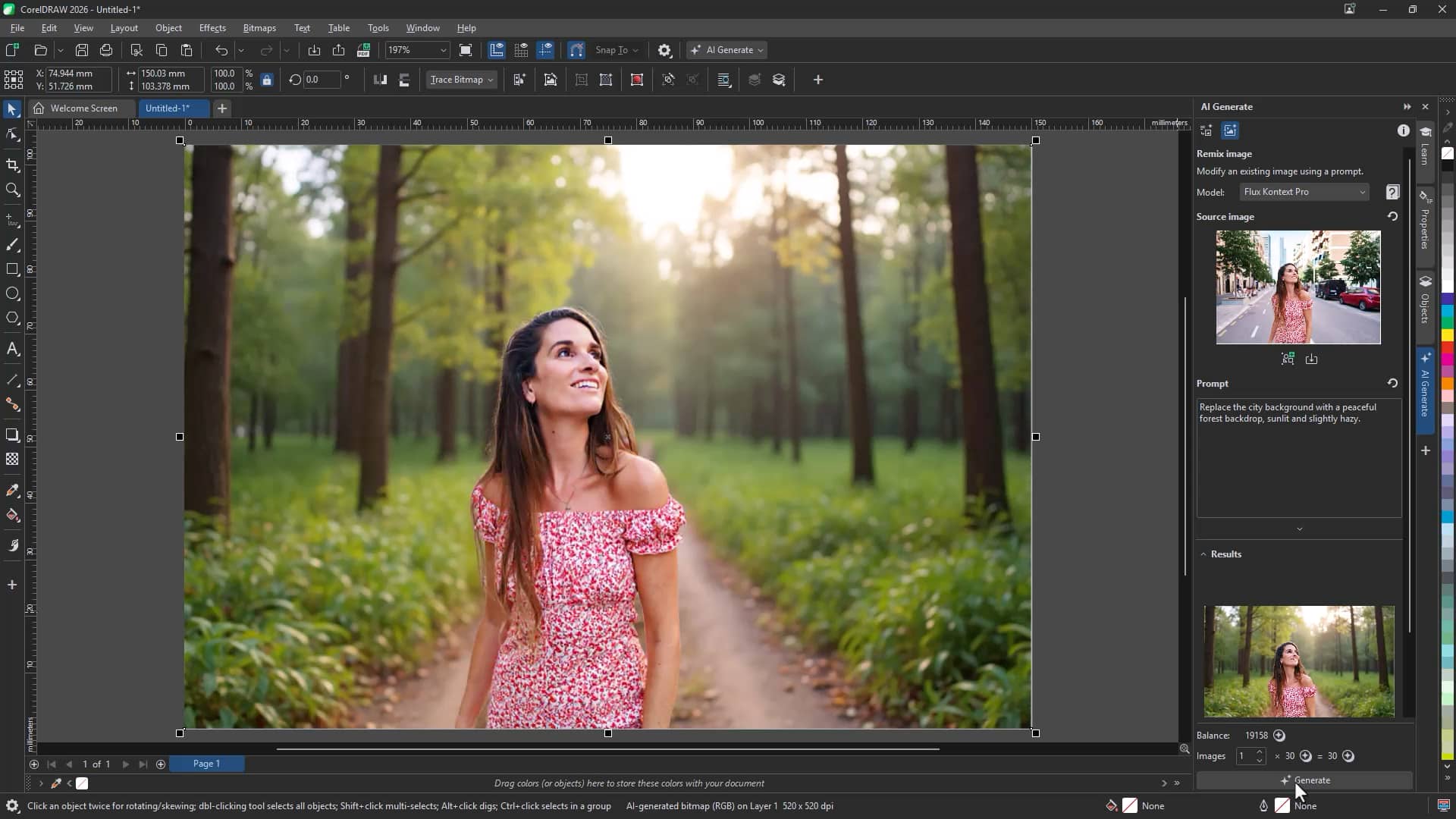
This is ideal for adapting visuals for seasonal campaigns, location changes, or alternative design themes.
Explore ideas faster
AI Generate in CorelDRAW Graphics Suite empowers you to:
- Create original images from text
- Experiment with styles and models
- Generate professional mockups
- Transform sketches into artwork
- Replace backgrounds
- Restore and enhance photos
By combining prompt-based creativity with familiar CorelDRAW tools, you can accelerate ideation and maintain full creative control.
Try AI Generate now