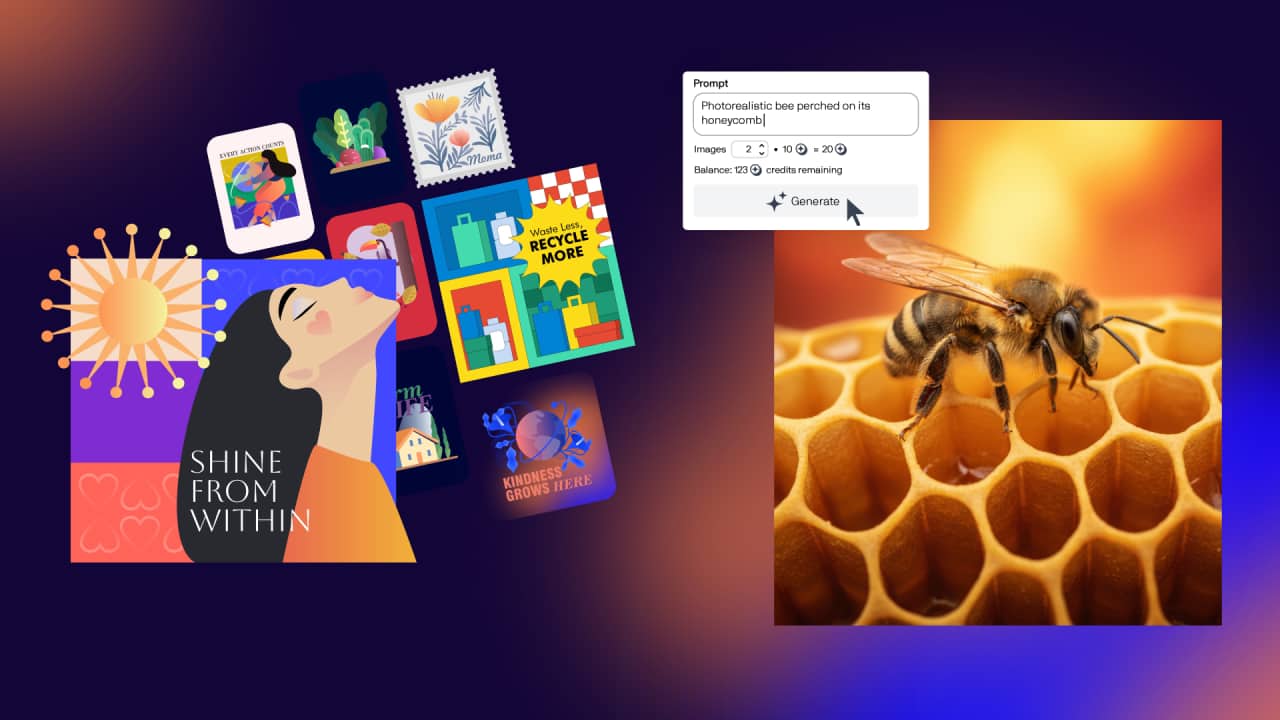
Create original visuals with AI Generate
AI Generate is a new prompt-based image creation docker in CorelDRAW and Corel PHOTO-PAINT. It allows you to generate and modify images using simple text prompts.
Whether you’re starting from scratch, using a reference image, or refining existing artwork, AI Generate helps you explore ideas quickly.
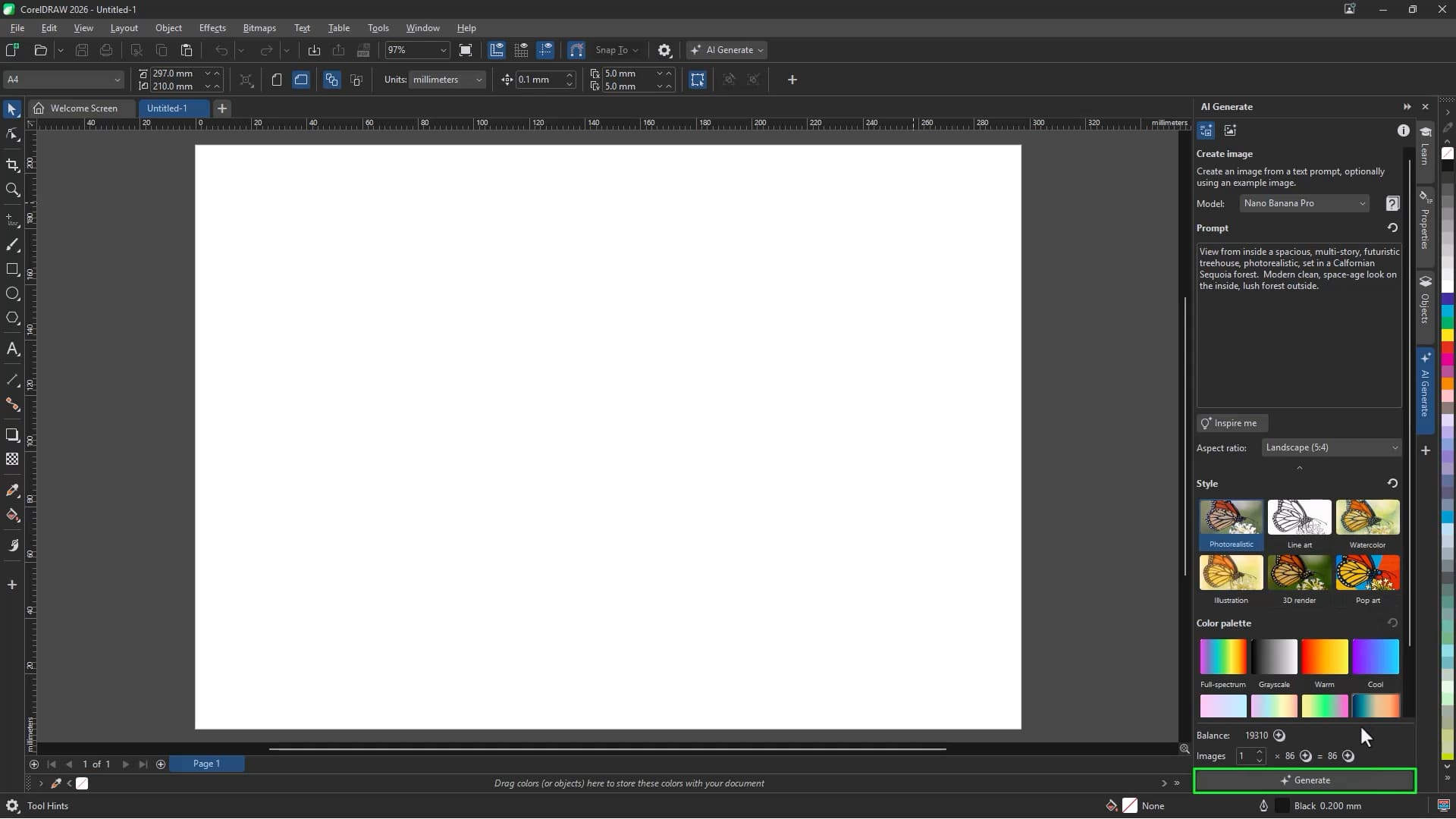
To generate an image:
- Open the AI Generate docker
- Choose an AI model
- Select your desired image format
- Enter a descriptive prompt
- Optional: Select a style preset or color palette
- Click Generate
Each time you generate, new image results will appear directly in your document.
Heads up: Each image you generate with AI features in CorelDRAW will take up AI credits. You can learn more about that in the information tab.
Try AI Generate now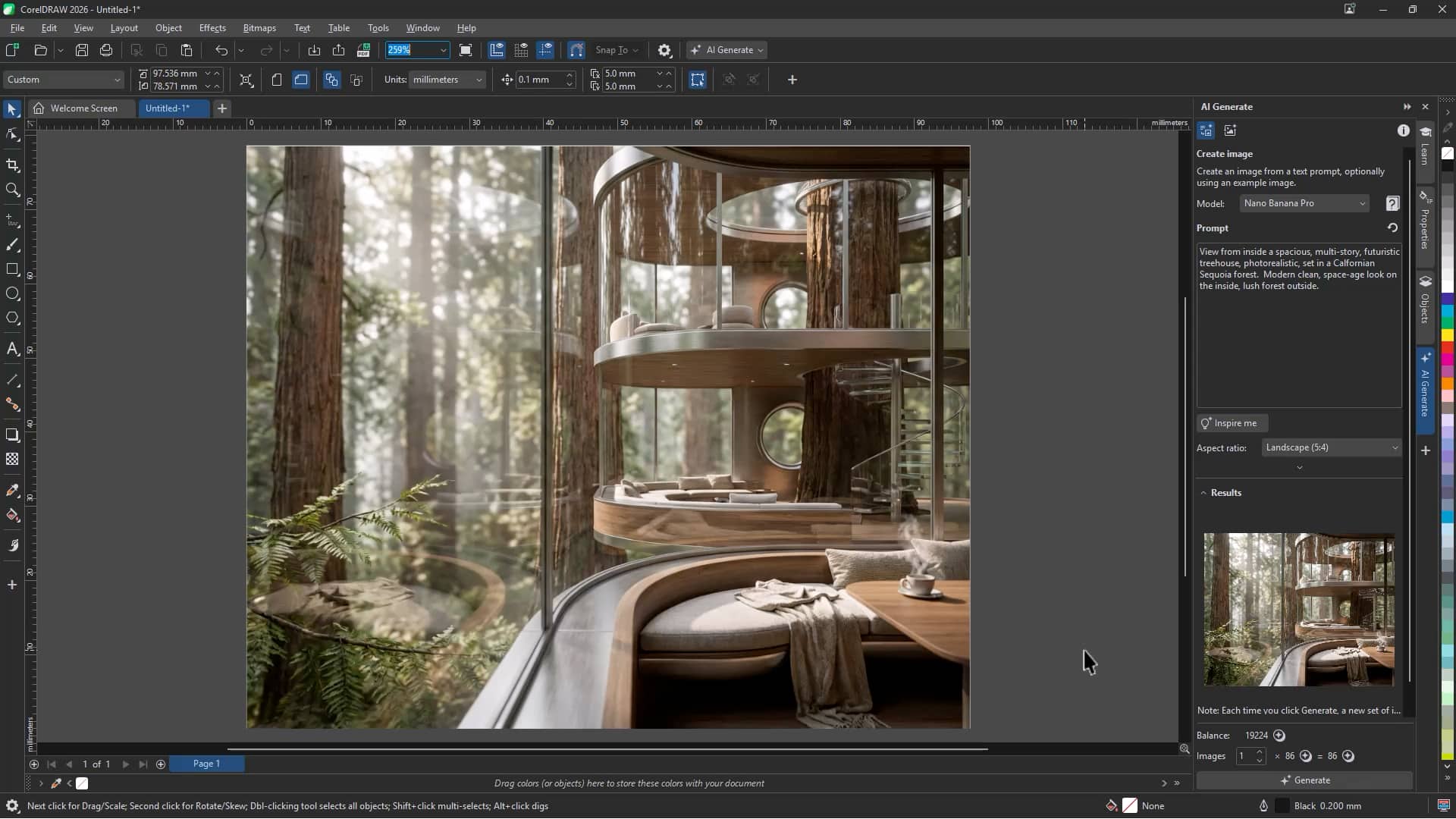
Remix existing images
Use Remix Image to modify an image without changing it entirely. For example, you can:
- Adapt a seasonal campaign within an existing brand identity
- Transform a cityscape into a rural setting
- Refine a sketch into polished artwork
- Restore or creatively reinterpret older images
This workflow makes it easy to iterate, experiment with styles, and build on existing visuals.
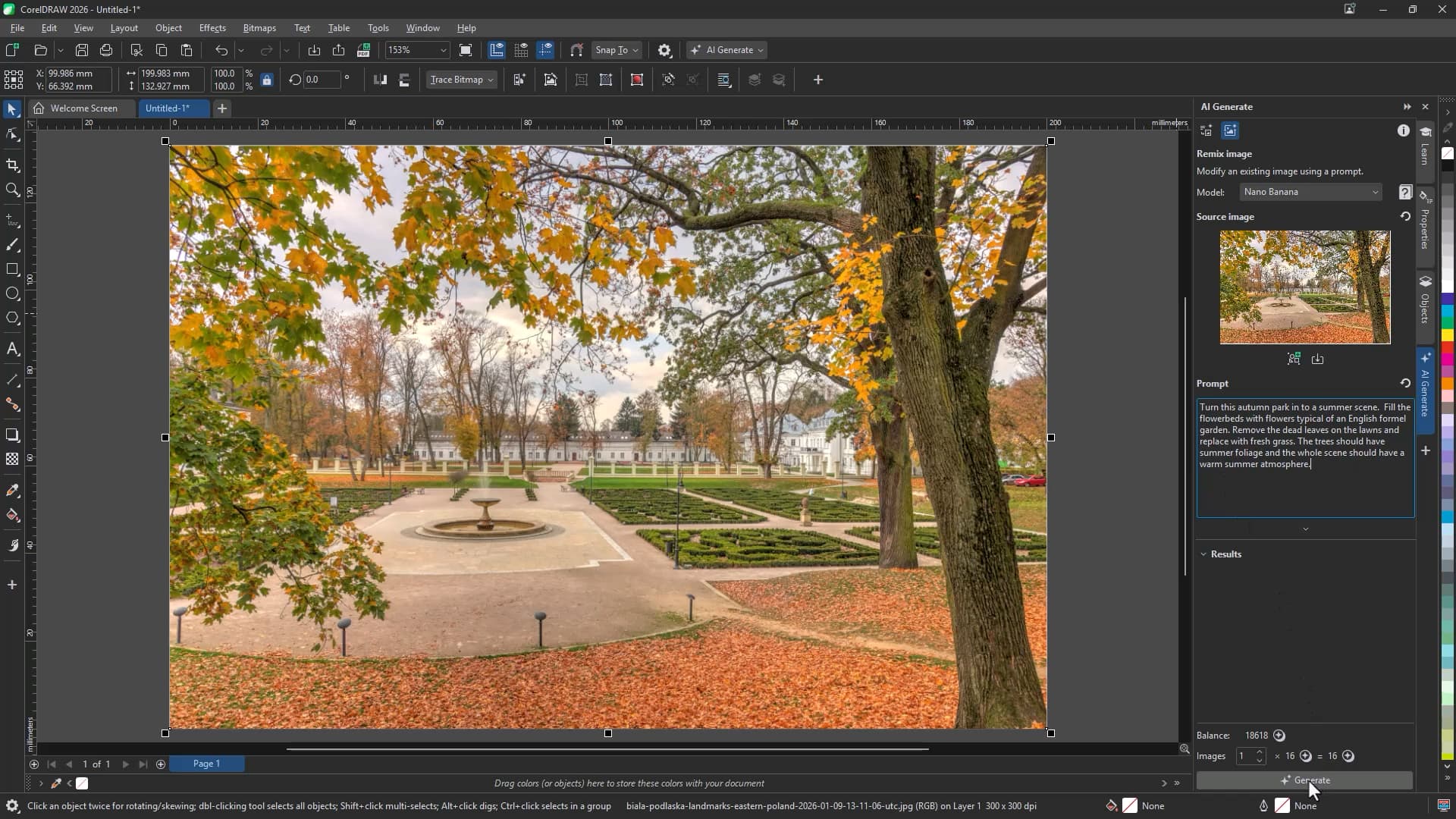
To remix an image:
- Open the AI Generate docker
- Select the image in your document that you want to modify
- Click the Remix Image icon
- Enter a prompt describing the changes you’d like to make
- Optional: Select a style preset or color palette to guide the result
- Click Generate
This will add a remixed version of your image to the document, combining key elements and your requested changes.
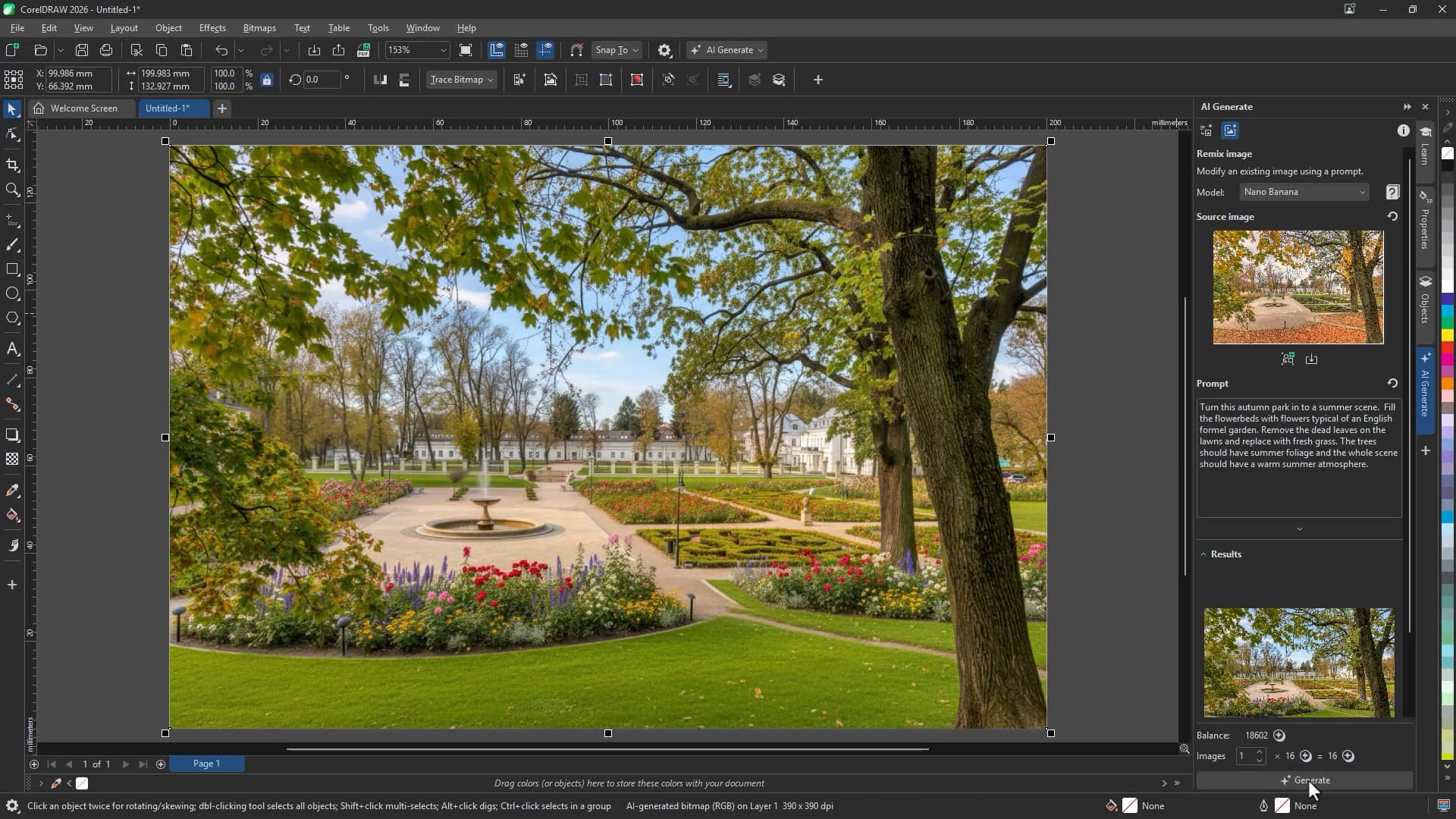
If you're new to AI workflows, built-in guidance and resources help you get started quickly. The Information tab also provides details about AI tools, credits, and usage.
Remove backgrounds in one click
Manually removing backgrounds can be time-consuming, especially when working with fine details like hair, transparency, or complex edges.
The new AI Remove Background tool automatically detects your subject and removes the background with a single click.
To remove a background:
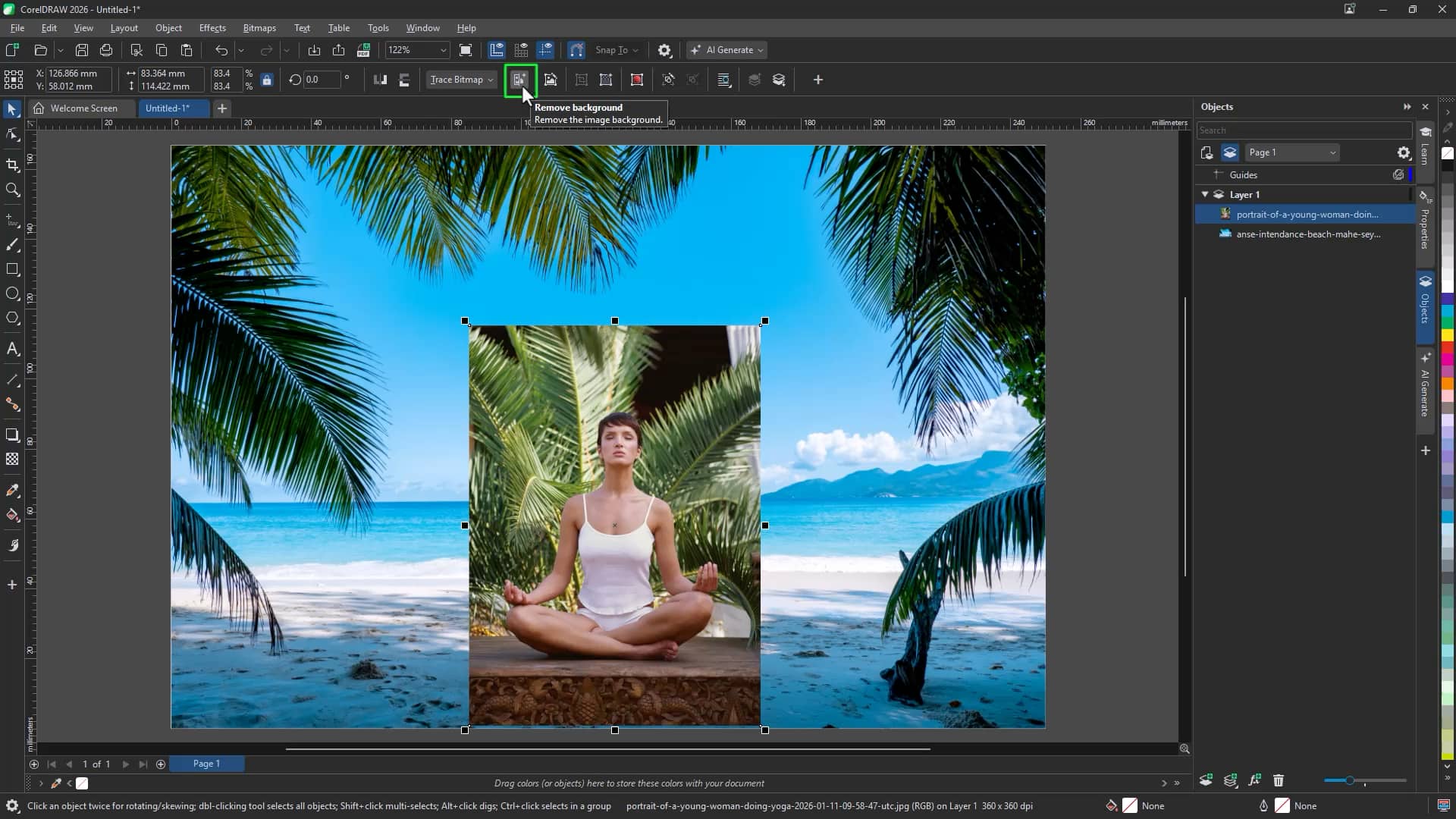
Select an image and click Remove Background,
or
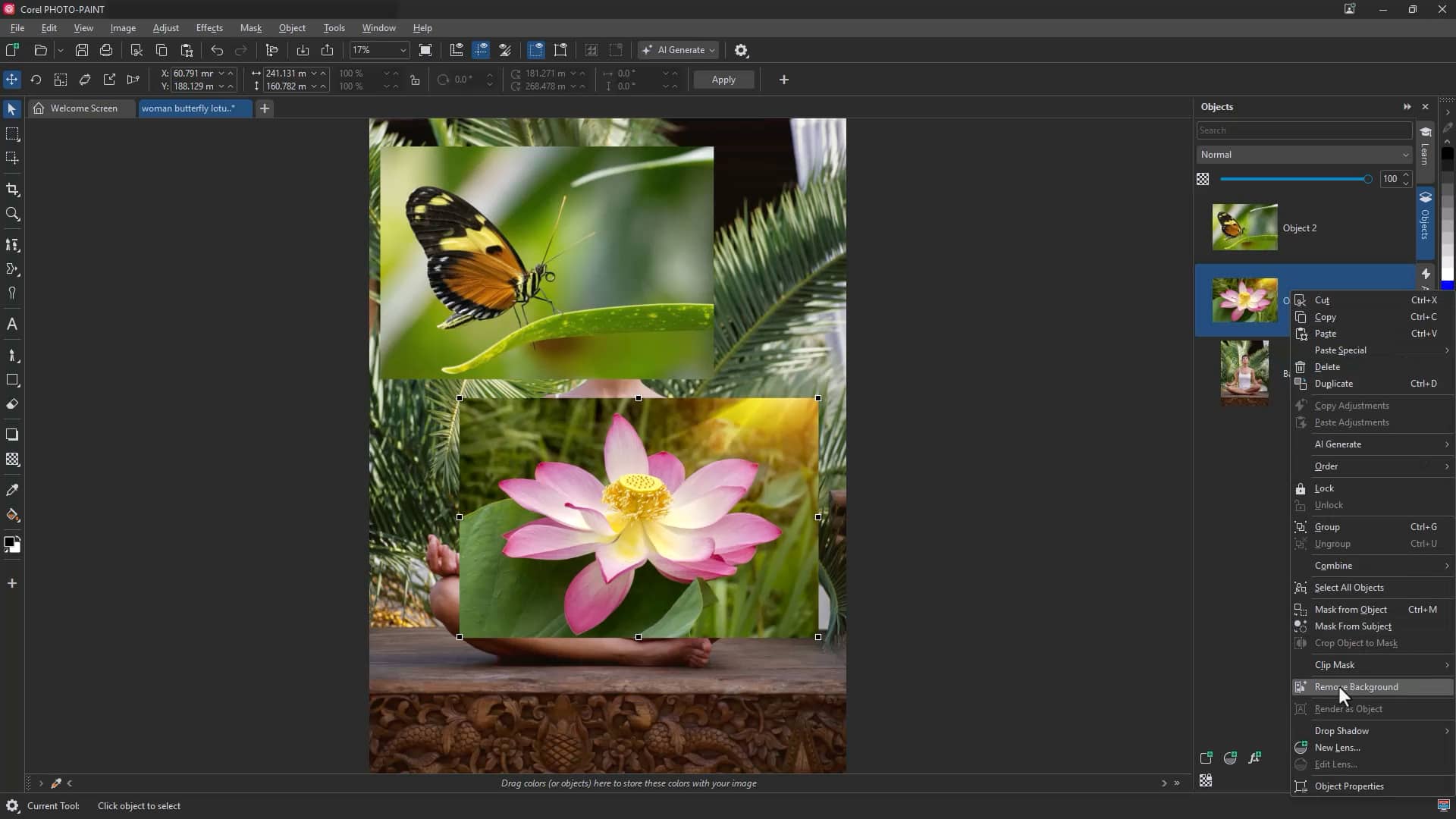
In a layered document, select the image layer and apply Remove Background.
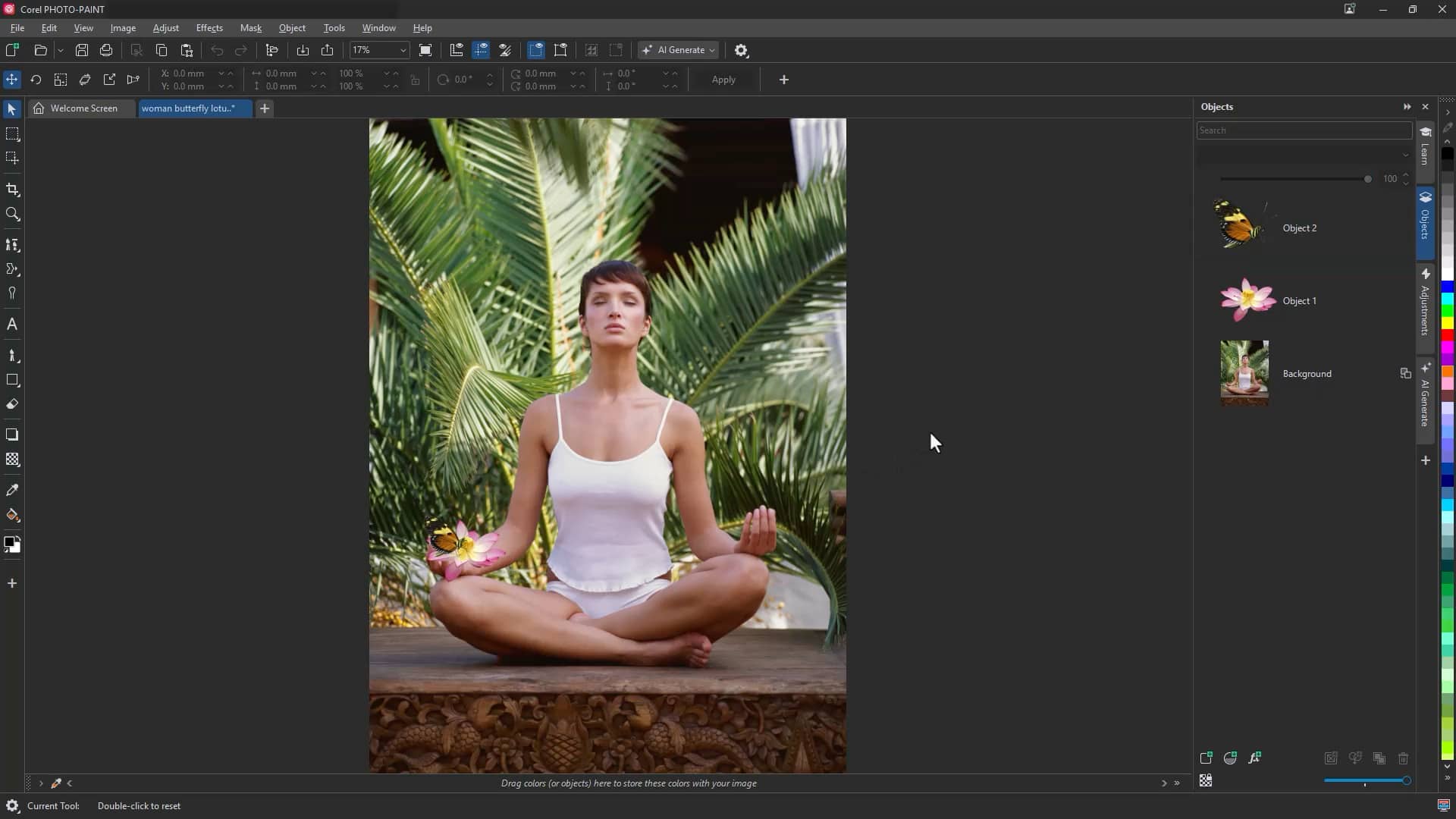
The result is a clean cutout ready to place into layouts, social media graphics, advertisements, or composite designs—saving valuable production time.
Try Remove background nowPrecision masking in Corel PHOTO-PAINT
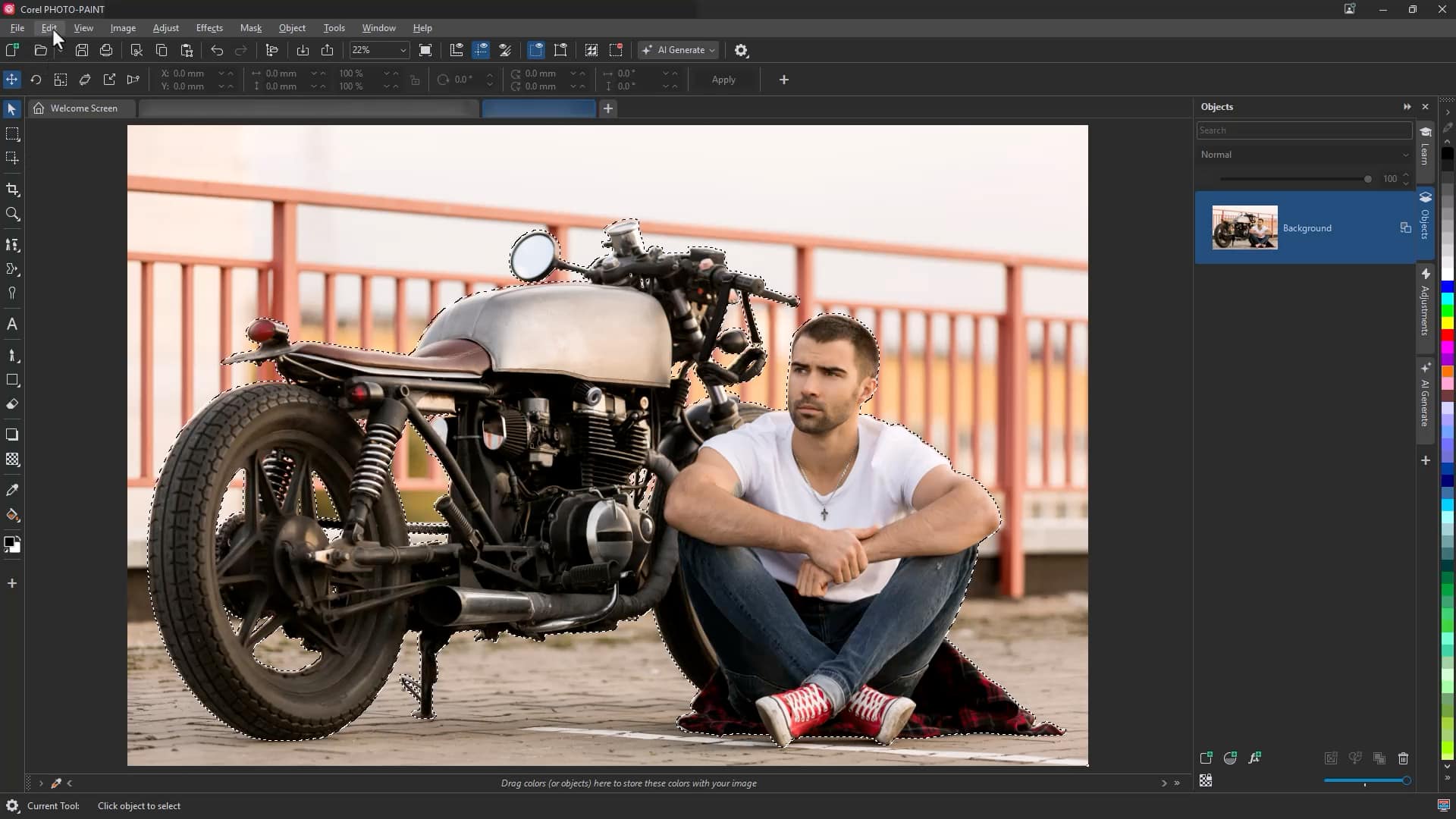
The new Mask from Subject command in Corel PHOTO-PAINT uses AI to automatically detect and isolate the main subject in an image.
This is particularly effective for challenging selections like:
- Fine hair
- Intricate edges
- Detailed foreground elements
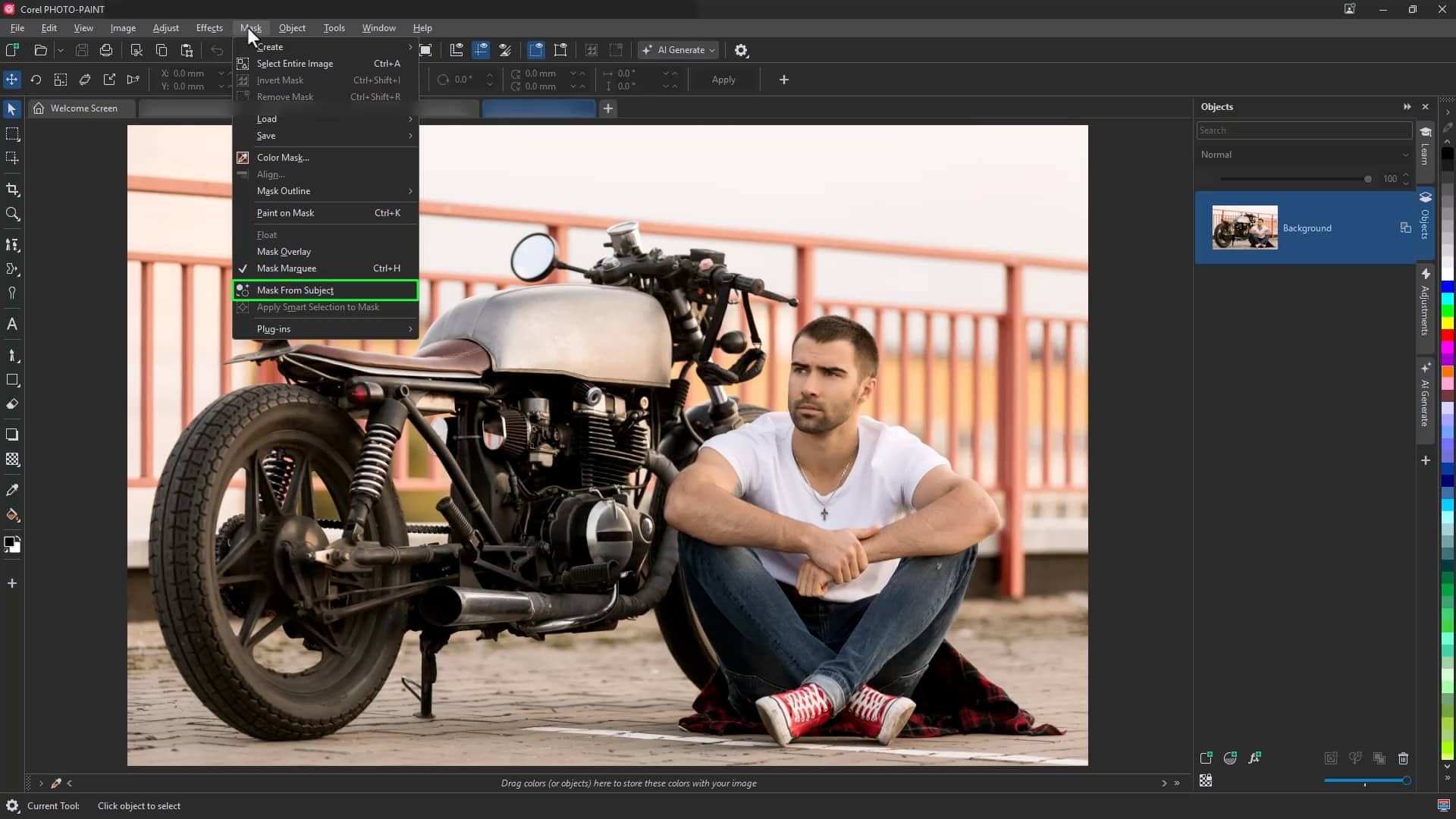
To create a mask from a subject:
- Open your image in Corel PHOTO-PAINT
- Click Mask > Mask from Subject
- Refine as needed, then copy and paste onto a new background or apply further edits
This tool accelerates complex masking tasks and ensures you maintain professional-level control.
A refreshed, modern interface
CorelDRAW Graphics Suite 2026 introduces a revitalized interface designed for consistency across desktop and web.
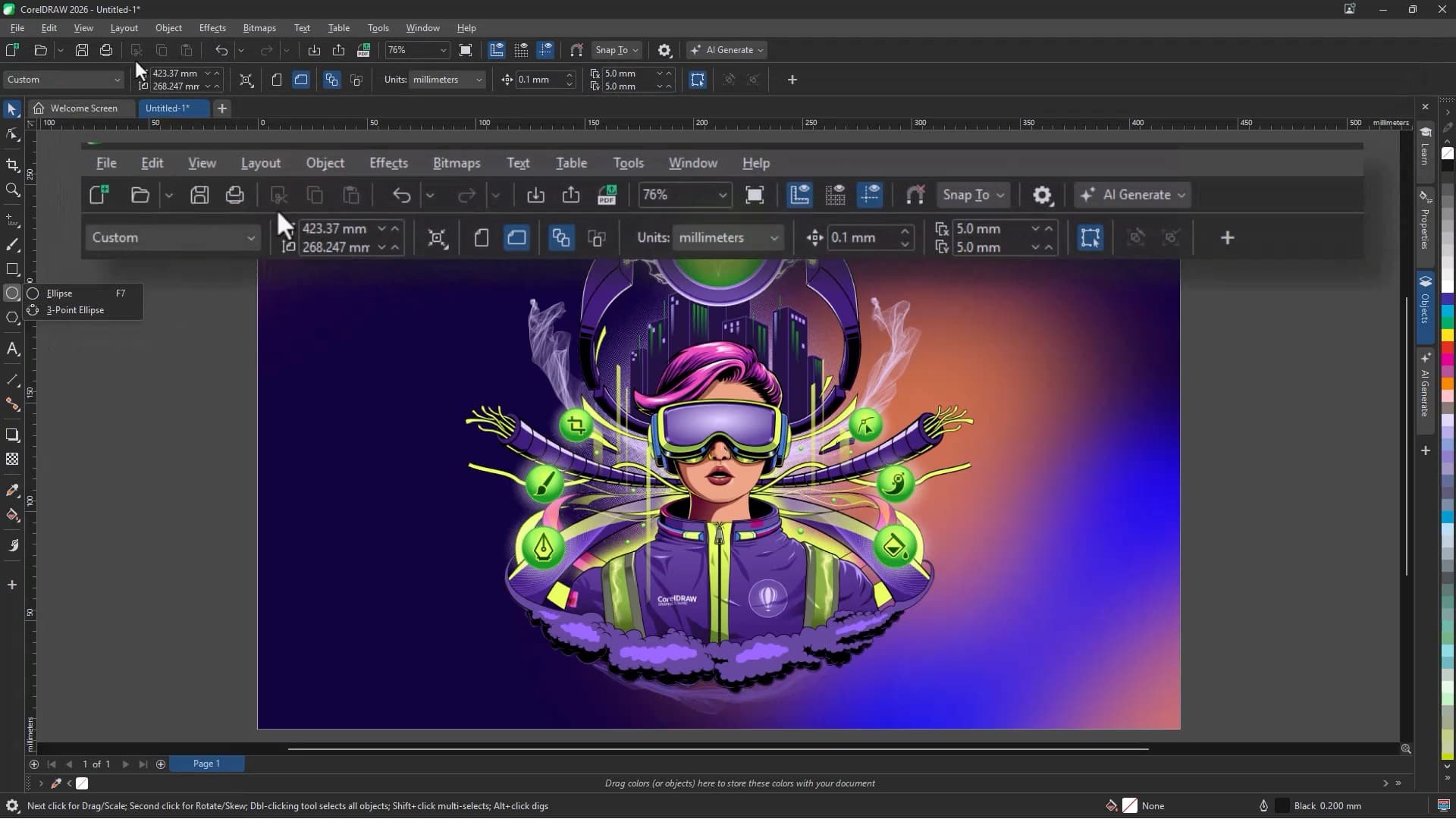
The updated UI includes:
- Refined icons and controls
- Renewed colors that highlight active tools
- More intuitive navigation
- Greater visual consistency across platforms
Built in response to user feedback, the modernized interface enhances clarity and preserves familiar workflows so you can work comfortably and efficiently.
Faster performance and improved stability
This release delivers major improvements in speed and reliability across the suite.
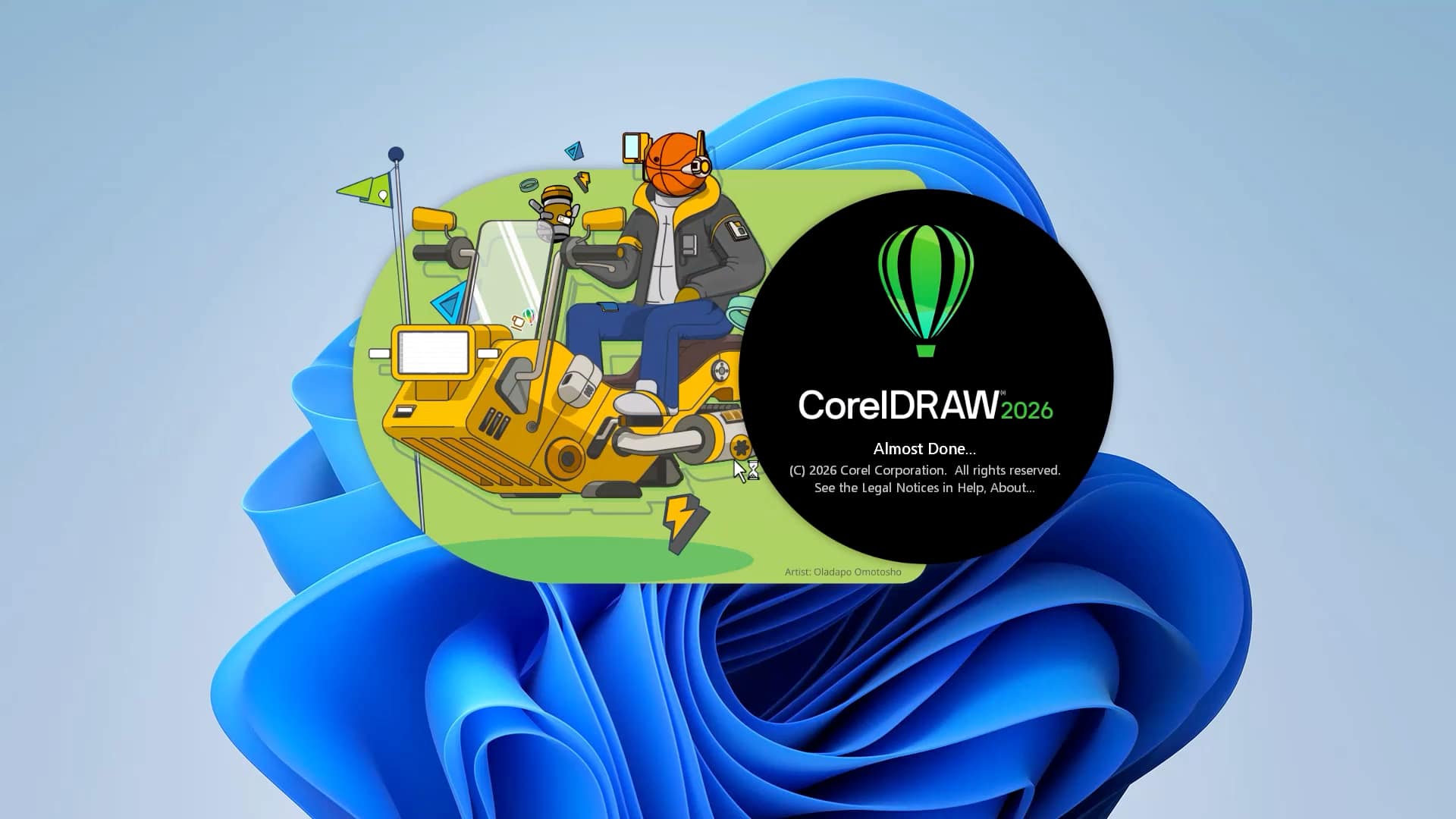
Enhancements include:
- App launch times up to three times faster or more
- Smoother font handling
- Smarter page and export settings
- Improved zoom controls for easier text editing
- Greater overall workflow stability
These upgrades help reduce friction so you can stay focused on design.
New subscriber-exclusive brushes and templates
Subscribers gain access to expanded creative content designed to eliminate blank-page frustration and accelerate project start-up.
This release includes:
- 200+ new cloud-based templates
- 50 new brushes
Professionally crafted and always up to date, these assets help you jump straight into branding, signage, illustration, and social content projects with confidence.
Ongoing enhancements to CorelDRAW Web
CorelDRAW Web continues to evolve with updates that improve flexibility and productivity for subscribers.
Recent improvements include:
- A redesigned home screen
- Smoother navigation and performance
- Enhanced file handling
- An improved first-launch learning experience
- A refreshed modern interface
- Greater overall stability
With access to many of the same intelligent tools available on desktop, CorelDRAW Web allows you to design confidently from virtually anywhere.
Design smarter while staying in control
Together, these innovations make CorelDRAW Graphics Suite 2026 our most intelligent release yet. With powerful AI tools, faster performance, a refined interface, and exclusive subscriber content, you can produce original, human-driven designs more efficiently—without compromising creative control.