CorelDRAW Graphics Suite_Version comparison matrix_EN
|
|
CorelDRAW Graphics Suite (Subscription or license with maintenance)
|
CorelDRAW Graphics Suite 2026 (One-time purchase)
|
CorelDRAW Graphics Suite 2025
|
CorelDRAW Graphics Suite 2024
|
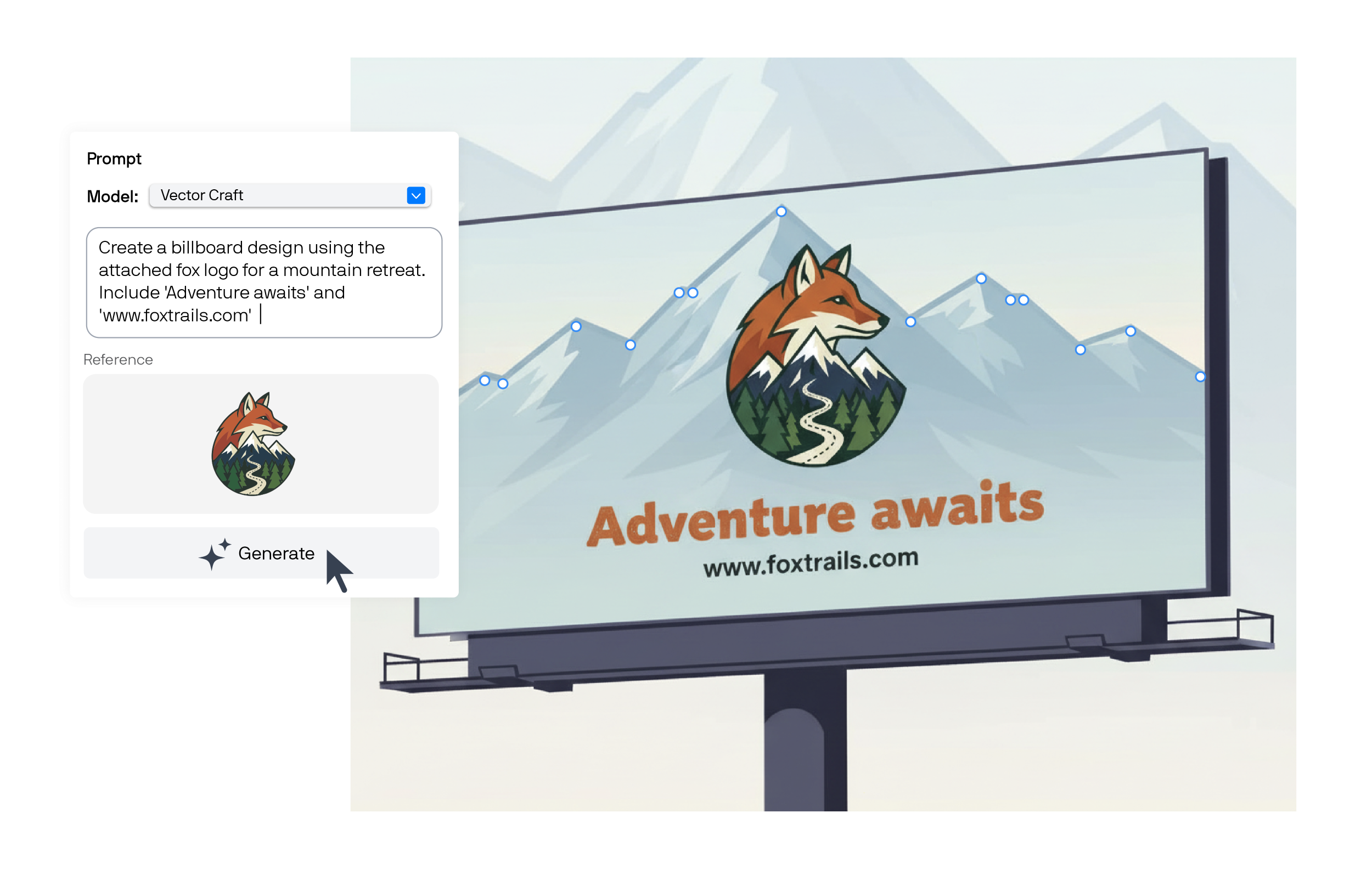
| Text-to-vector AI [Give it a try] |
|
|
– |
– |
| Text-to-image AI [Give it a try] |
|
|
– |
– |
| AI credits |
(+ 2,000 monthly credits)
- additional credits available for purchase
|
(+ 2,000 credits, one-time)
- additional credits
available for purchase
|
– |
– |
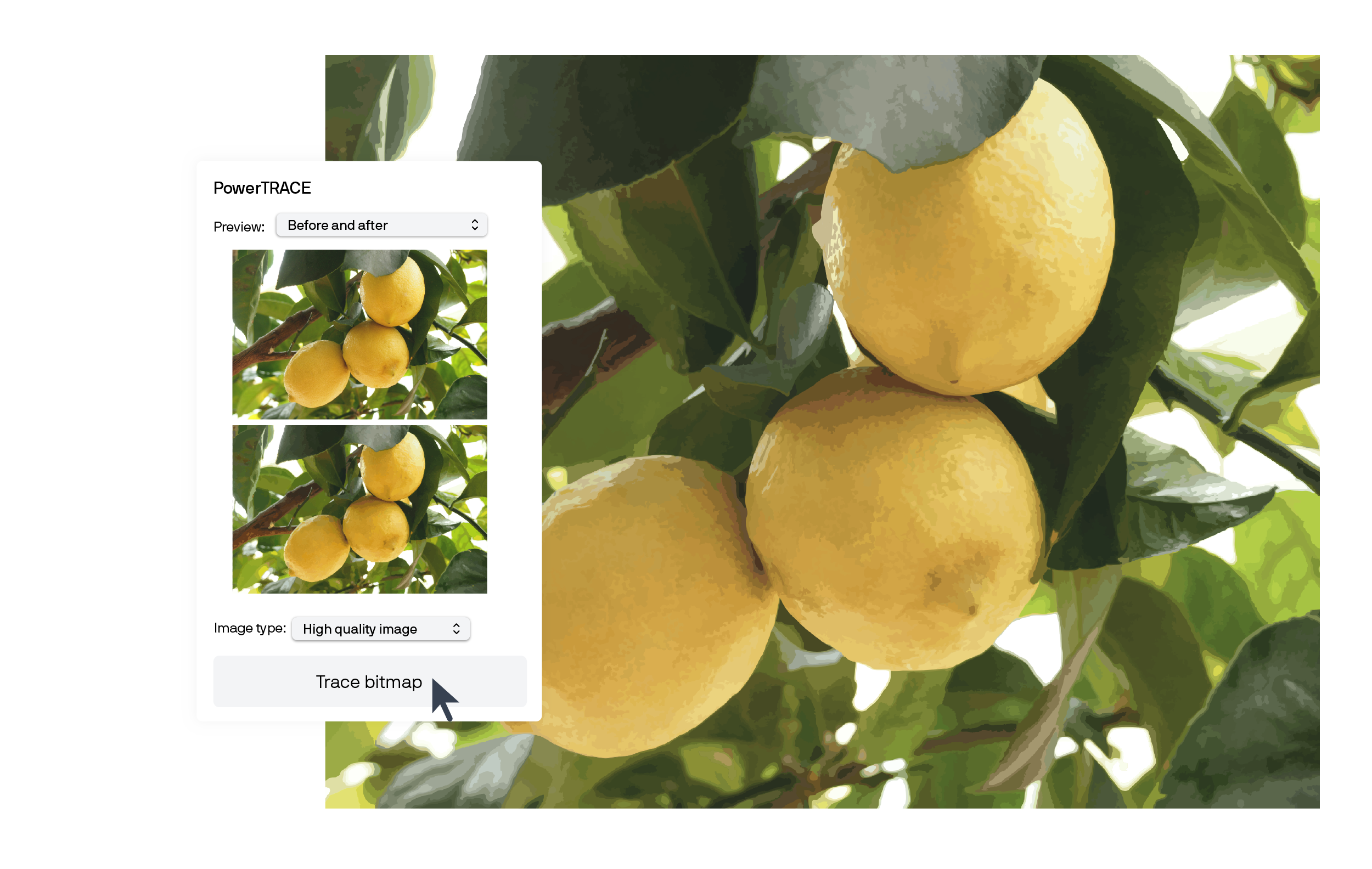
| Bitmap-to-vector tracing (PowerTRACE™) [Give it a try] |
IMPROVED
|
IMPROVED
|
– |
– |
| CorelDRAW® Web |
NEW! Upload custom fonts, DWG & DXF export; and more.
|
– |
– |
– |
| AI-powered background removal [Give it a try] |
|
|
– |
– |
| Mask images with AI in Corel PHOTO-PAINT™ |
|
|
– |
– |
| Accelerated app launch (around 3x as fast or faster) |
|
|
– |
– |
| Stability improvements |
ENHANCED
|
ENHANCED
|
|
|
| Refreshed interface |
|
|
– |
– |
| Painterly brushes |
250+
|
100+
|
100+
|
100+
|
| Modern templates [Start with template] |
800+
Cloud template library
|
200+
|
200+
|
200+
|
|
|
| Painterly Brush tool [Give it a try] |
- additional 150 free brushes
- additional brush settings and customizations
|
- additional brush settings and customizations
|
|
|
| Perspective Drawing |
|
|
|
|
| Advanced Shadow tools, incl. Inner Shadow, Block Shadow [Give it a try] |
|
|
|
|
| Bitmap effects lens |
|
|
|
|
| PowerTRACE™ [Give it a try] |
IMPROVED
|
IMPROVED
|
|
|
| Variable Outline tool |
|
|
|
|
| Non-destructive effects |
|
|
|
|
| AI-powered Art Style effects |
|
|
|
|
| Symmetry mode |
|
|
|
|
| Pointillizer™, Impact tool |
|
|
|
|
| Straighten photos interactively |
|
|
|
|
| LiveSketch™ tool |
|
|
|
|
| Vector and bitmap pattern fills |
|
|
|
|
| Fountain fills |
|
|
|
|
| Mesh Fill |
|
|
|
|
|
|
| Multipage View |
|
|
|
|
| Pages docker/Inspector |
|
|
|
|
| Autofit Page |
|
|
|
|
| Objects docker/inspector |
|
|
|
|
| Align and Distribute docker/inspector |
|
|
|
|
| Alignment and Dynamic Guides |
|
|
|
|
| Fit Objects to a Path |
|
|
|
|
| Apply envelopes to bitmaps |
|
|
|
|
| Master Layers |
|
|
|
|
|
|
| Image Adjustments docker/inspector |
|
|
|
|
| Replace Colors |
|
|
|
|
| AI-powered upsampling options |
|
|
|
|
| AI-powered JPEG artifact removal |
|
|
|
|
| Non-destructive effects workflow in Corel PHOTO-PAINT |
|
|
|
|
| Smart Selection mask tool |
|
|
|
|
| Tone curve adjustments |
|
|
|
|
| PhotoCocktail™ |
|
|
|
|
| Adjust photo perspective interactively |
|
|
|
|
| Liquid tools |
|
|
|
|
| Unsharp Mask Lens |
|
|
|
|
| Smart Carver™ |
|
|
|
|
|
|
| Symbol docker/inspector |
|
|
|
|
| Find and Replace |
|
|
|
|
| Context-sensitive Object Properties docker/inspector |
|
|
|
|
| Focus Mode [Give it a try] |
|
|
|
|
| Object styles |
|
|
|
|
| Color management |
|
|
|
|
| Latest PANTONE® Color Palettes |
|
|
|
|
| Color Styles |
|
|
|
|
| Complementary colors and Harmonies |
|
|
|
|
| QR codes |
|
|
|
|
| Project Timer |
|
|
|
|
| Adobe product support |
|
|
|
|
| Microsoft product support (Windows only) |
|
|
|
|
| AutoCAD DWG/DXF support |
UPDATED
|
UPDATED
|
UPDATED
|
|
|
|
| Remote fonts in CorelDRAW |
1,700+ Google Fonts families
Included font packs
|
1,700+ Google Fonts families
Included font packs
|
1,700+ Google Fonts families
Included font packs
|
1,400+ Google Fonts families
Included font packs
|
| Variable Fonts support |
|
|
|
|
| Numbered lists and Bulleted lists |
|
|
|
|
| Corel Font Manager |
|
|
|
|
| Special characters, symbols, and glyphs |
|
|
|
|
| Font embedding |
|
|
|
|
|
|
| Export docker/inspector for multi-asset export |
|
|
|
|
| Print Merge incl. support for QR codes, images, and .xlsx data |
|
|
|
|
| PDF/X support (incl. PDF/X-4) |
|
|
|
|
| PDF/A support |
|
|
|
|
| Advanced Print to PDF |
|
|
|
- |
| Prep & Stretch docker/inspector |
|
|
|
|
| Border and Grommet for banner printing |
|
|
|
|
| Preflight Control |
|
|
|
|
| On-screen color proof |
|
|
|
|
|
|
| Publish to WordPress |
|
|
|
|
| Design in pixels |
|
|
|
|
| Pixel-perfect workflow |
|
|
|
|
| WebP file support |
|
|
|
|
|
|
| Enhanced asset management |
Cloud-based; advanced
|
|
|
|
| HEIF support |
|
|
|
|
| Built-in RAW camera support (>400 camera models supported) |
|
|
|
|
| Blank document/image presets |
|
|
|
|
| High-quality thumbnail previews |
|
|
|
|
|
|
| Default Save CDR files to legacy version |
|
|
|
|
| Windows 11 optimized user interface |
|
|
|
|
| macOS-optimized user interface |
|
|
|
|
| Customizable keyboard shortcuts (For Mac) |
|
|
|
|
| Touch-friendly user interface |
|
|
|
|
| Welcome screen |
|
|
|
|
| Workspaces (Windows only) |
|
|
|
|
| Fully scalable and customizable UI (Windows only) |
|
|
|
|
|
|
| Modern templates [Start with template] |
800+
Cloud template library
|
200+
|
200+
|
200+
|
| Painterly brushes |
250+
|
100+
|
100+
|
100+
|
| Professional clipart |
|
|
|
|
| High-quality photos |
|
|
|
|
| Specialized fonts |
|
|
|
|
|
|
| Learn docker / inspector |
ENHANCED
|
ENHANCED
|
ENHANCED
|
|
| Practice projects |
50+ additional projects
Personalized practice project recommendations
|
50+ additional projects
Personalized practice project recommendations
|
50+ additional projects
Personalized practice project recommendations
|
|
| Video tutorials and video hints |
|
|
|
|
| Quick Start Guide |
|
|
|
|
|
|
| Windows 11 |
|
|
|
|
| Windows 10(version 23H2 and newer) |
|
|
|
|
| macOS Tahoe (26) |
|
|
|
|
| macOS Sequoia (15) |
|
|
|
|
| macOS Sonoma (14) |
|
|
|
|
| macOS Ventura (13) |
– |
– |
|
|
| Apple Silicon (M1/M2/M3/M4/M5) support |
Apple M1, M2, M3, M4 & M5
|
Apple M1, M2, M3, M4 & M5
|
Apple M1, M2, M3, M4 & M5
|
Apple M1, M2 & M3
|
|
|
| Multi-seat license management |
|
|
|
– |
| Windows Installer (MSI) support |
|
|
|
|
| macOS deployment support |
|
|
|
|
| Microsoft Visual Studio Tools for Applications (VSTA) (Windows only) |
|
|
|
|
| Microsoft Visual Basic for Applications (VBA) (Windows only) |
UPDATED
|
UPDATED
|
UPDATED
|
|
| JavaScript automation support |
|
|
|
|
Corel, CorelDRAW, the CorelDRAW balloon logo,
AfterShot, Corel PHOTO-PAINT, LiveSketch, PhotoCocktail, Pointillizer, PowerTRACE, and
Smart Carver are trademarks or registered trademarks of Corel Corporation in Canada, the
US, and elsewhere. Apple, Mac and macOS are trademarks of Apple Inc. Google is a
trademark of Google LLC. All other company, product and service names, logos, brands and
any registered or unregistered trademarks mentioned are used for identification purposes
only and remain the exclusive property of their respective owners. Use of any brands,
names, logos or any other information, imagery or materials pertaining to a third party
does not imply endorsement. We disclaim any proprietary interest in such third-party
information, imagery, materials, marks and names of others. For all notices and
information about patents please visit www.corel.com/patents
© 2026 Corel Corporation. 09/26
Corel, CorelDRAW, the CorelDRAW balloon logo, AfterShot, Corel PHOTO-PAINT,
LiveSketch, PhotoCocktail, Pointillizer, PowerTRACE, and Smart Carver are trademarks or
registered trademarks of Corel Corporation in Canada, the US, and elsewhere. Apple, Mac and
macOS are trademarks of Apple Inc. Google is a trademark of Google LLC. All other company,
product and service names, logos, brands and any registered or unregistered trademarks
mentioned are used for identification purposes only and remain the exclusive property of
their respective owners. Use of any brands, names, logos or any other information, imagery
or materials pertaining to a third party does not imply endorsement. We disclaim any
proprietary interest in such third-party information, imagery, materials, marks and names of
others. For all notices and information about patents please visit www.corel.com/patents
© 2026 Corel Corporation. 09/26
CorelDRAW Graphics Suite_Compare purchase options_EN
|
|
Subscription
|
One-time purchase
|
Value, access, and support
|
|
|
CorelDRAW Web
Browser-based vector illustration and graphic design
Sign in
|
|
— |
Latest and greatest
Instant access to the latest updates as they become available, at no extra cost. |
|
— |
Generative AI credits
Included credits for prompt-based image creation and image editing features.
Learn more
|
(2,000 monthly credits)
- additional credits available for purchase
|
(2,000 one-time credits)
- additional credits available for purchase
|
Exclusive features
Fully loaded software with exclusive features and content. |
|
— |
Budget-friendly
Lowest upfront cost and the flexibility to stop paying for a defined period of time as your software needs change. |
|
— |
Ongoing support
Guaranteed support for the latest operating systems, devices, and technologies. |
|
— |
Product ownership
Pay once to own and use the software version for as long as you choose. |
— |
|
Main applications
|
|
|
| CorelDRAW® |
|
|
| CorelDRAW Web |
|
— |
| Corel PHOTO-PAINT™ |
|
|
| Corel® Font Manager |
|
|
Core functionality
|
|
|
| Layout tools |
|
|
| Drawing tools |
|
|
| Image editing tools |
|
|
| Web and print output tools |
|
|
| Learning materials |
|
|
| Typography tools |
|
|
| Cloud-based asset management |
|
— |
| Extensive file compatibility |
|
|
| Cloud storage |
|
— |
Content
|
|
|
| Painterly brush packs |
15 free brush packs (150 brushes)
- additional brush packs for purchase
|
Available for purchase only
|
| Modern templates |
200+
- Over 600 additional templates from the cloud library
|
200+
|
| Professional clipart |
|
|
| High-quality photos |
|
|
| Specialized fonts |
|
|
Corel, CorelDRAW, the CorelDRAW balloon logo,
Corel PHOTO-PAINT, LiveSketch, PhotoCocktail, Pointillizer, PowerTRACE, and Smart Carver
are trademarks or registered trademarks of Corel Corporation in Canada, the US, and
elsewhere. Apple, Mac and macOS are trademarks of Apple Inc. Google is a trademark of
Google LLC. All other company, product and service names, logos, brands and any
registered or unregistered trademarks mentioned are used for identification purposes
only and remain the exclusive property of their respective owners. Use of any brands,
names, logos or any other information, imagery or materials pertaining to a third party
does not imply endorsement. We disclaim any proprietary interest in such third-party
information, imagery, materials, marks and names of others. For all notices and
information about patents please visit www.corel.com/patents
© 2026 Corel Corporation. 09/26
Corel, CorelDRAW, the CorelDRAW balloon logo, Corel PHOTO-PAINT, LiveSketch,
PhotoCocktail, Pointillizer, PowerTRACE, and Smart Carver are trademarks or registered
trademarks of Corel Corporation in Canada, the US, and elsewhere. Apple, Mac and macOS are
trademarks of Apple Inc. Google is a trademark of Google LLC. All other company, product and
service names, logos, brands and any registered or unregistered trademarks mentioned are
used for identification purposes only and remain the exclusive property of their respective
owners. Use of any brands, names, logos or any other information, imagery or materials
pertaining to a third party does not imply endorsement. We disclaim any proprietary interest
in such third-party information, imagery, materials, marks and names of others. For all
notices and information about patents please visit www.corel.com/patents
© 2026 Corel Corporation. 09/26