CorelDRAW
Sound familiar? You’ve got a brief for a new set of vector icons. You’ve got a deadline. You’ve got a blank page.
But that’s it. You’ve got a few ideas, but nothing is leaping out as the answer the client’s looking for. And it’s making that deadline look more intimidating with every passing minute.
It’s a hidden truth in the world of graphic design. Execution isn’t the hard part of a design. Starting is hard. Iterating is hard. Getting to six good options when you only had one to start with is hard.
And that’s where this month’s update for CorelDRAW Graphics Suite comes in. With a slew of fresh features—including the new Text-to-vector AI function—you’ve got a powerful design partner that can help you get past the blank page and focus on what you do best.
Try CorelDRAW Graphics Suite free for 15 days and test out text-to-vector AI for yourself! for yourself!
With this update, you’ll find a host of exciting new features in CorelDRAW that expand on the features we introduced in March 2026, including the frontrunner, text-to-vector AI.
And together, they’re ready to bring you a shorter path from blank page to finished product.
Here’s a quick look at what you’ll find in the September update:
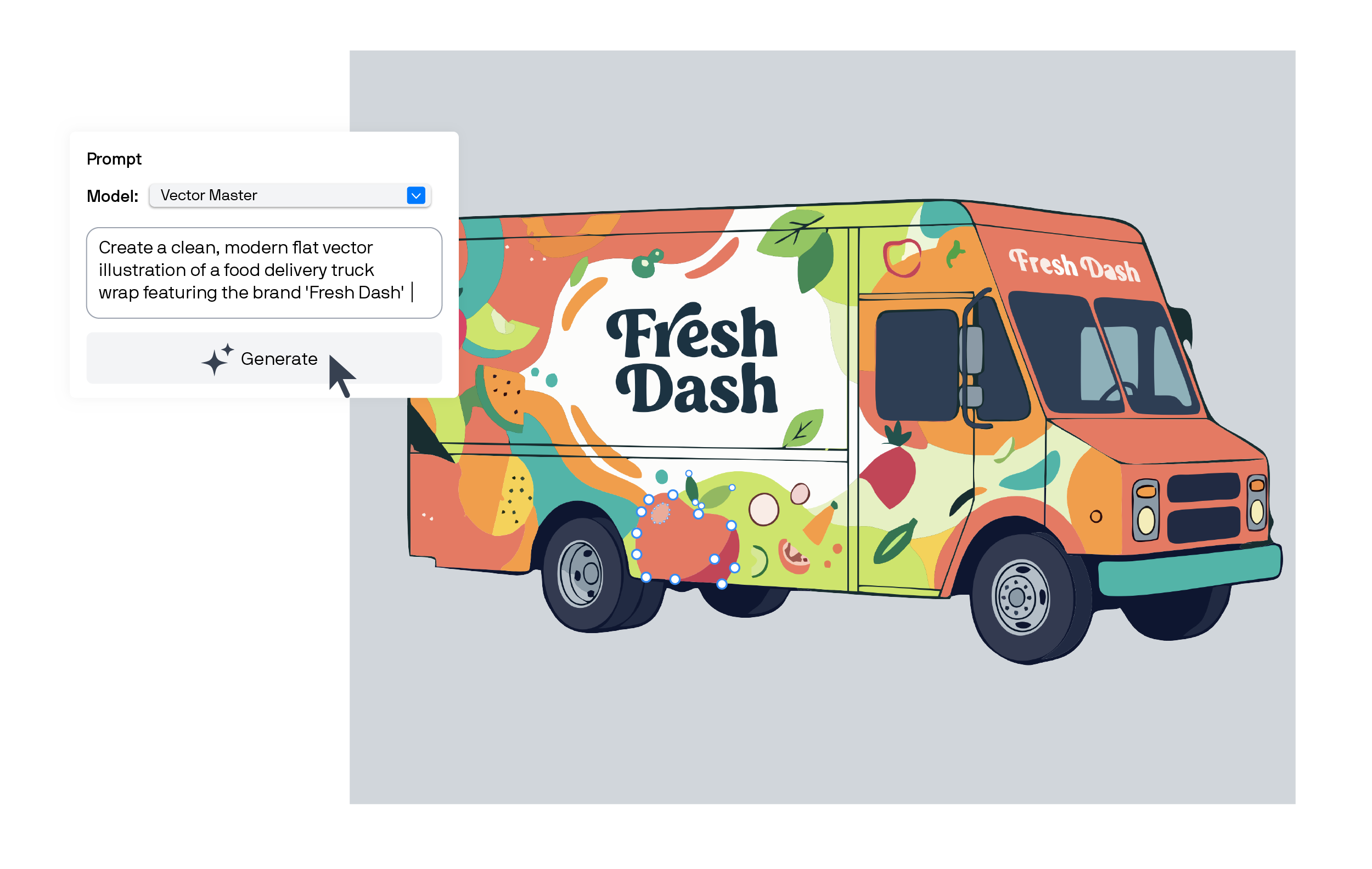
Complementing the Text-to-image feature within the AI Generate docker/inspector, Text-to-vector AI brings a new level of creative support to CorelDRAW. Rather than producing images for you based on your text prompts, it generates fully editable vectors that you can adjust and scale until they’re just right.
The Text-to-vector AI feature is made with your creative skill in mind and meant to complement your artistry in three ways:
If you’re stuck on a blank workspace, the Text-to-vector AI feature can help you get started. Use it to kick off your early brainstorming, give you a starting point, and inspire more ideas.
Sometimes, clients want to see plenty of options. Use AI text-to-vector generation in CorelDRAW to expand on existing concepts and ideas quickly by using a reference image or object. Test out different styles, layouts, color schemes, and even levels of detail.
Once you have a concept, use the Text-to-vector feature to create matching icons, patterns, badges, and other elements to establish a library of reusable assets.
Curious how it works? Try text-to-vector AI for yourself in CorelDRAW today.
AI text-to-vector generation in CorelDRAW creates artwork you can keep working on. Your simple text prompts generate customizable vector graphics, made up of layered objects with nodes and curves that you can edit and move.
So even when you ask CorelDRAW to help pull together iterations on your designs, you remain in creative control. You aren’t locked into the output—you can make every vector your own.
Ultimately, what you’ve done is give yourself a faster way to express your ideas. You might even discover new directions you may not have thought of otherwise.
Learn more about how to work with Text-to-vector AI in CorelDRAW effectively in this tutorial, or see where it can fit in your day to day with this guide to AI design.
AI text-to-vector generation isn’t the only change this update for CorelDRAW has in store. With feedback from users like you in mind, this release brings more functionality for PowerTRACE and CorelDRAW Web, along with improved performance and stability.
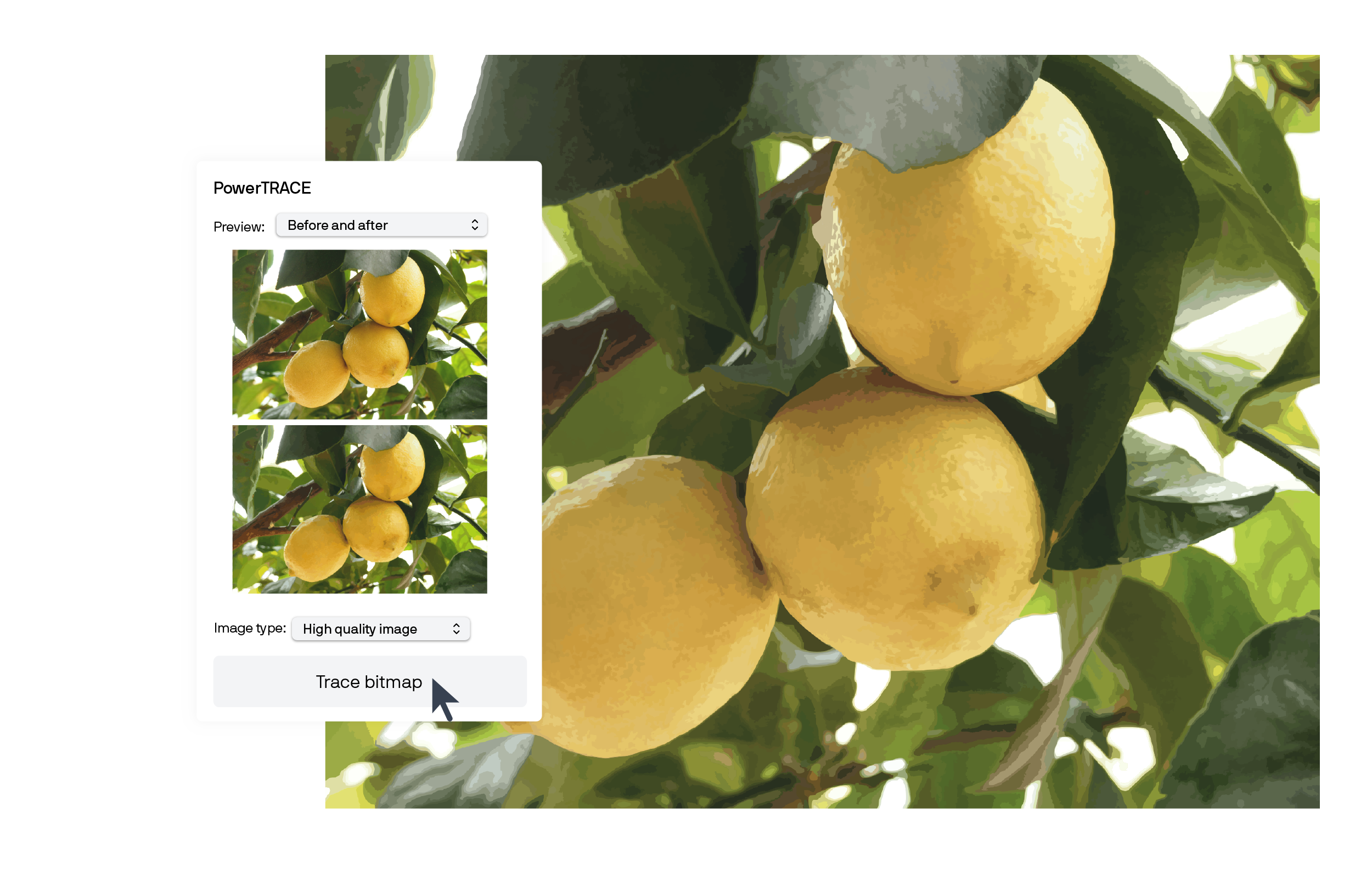
Have bitmap images that you need in vector format? PowerTRACE has an updated interface to make the process simpler for you, along with better object structure, color handling, and AI-powered background removal to provide you with cleaner results. Plus, the PowerTRACE workflow is now up to 4x faster!
If you’re a CorelDRAW subscriber, you’ve also got access to CorelDRAW Web—and these updates are for you.
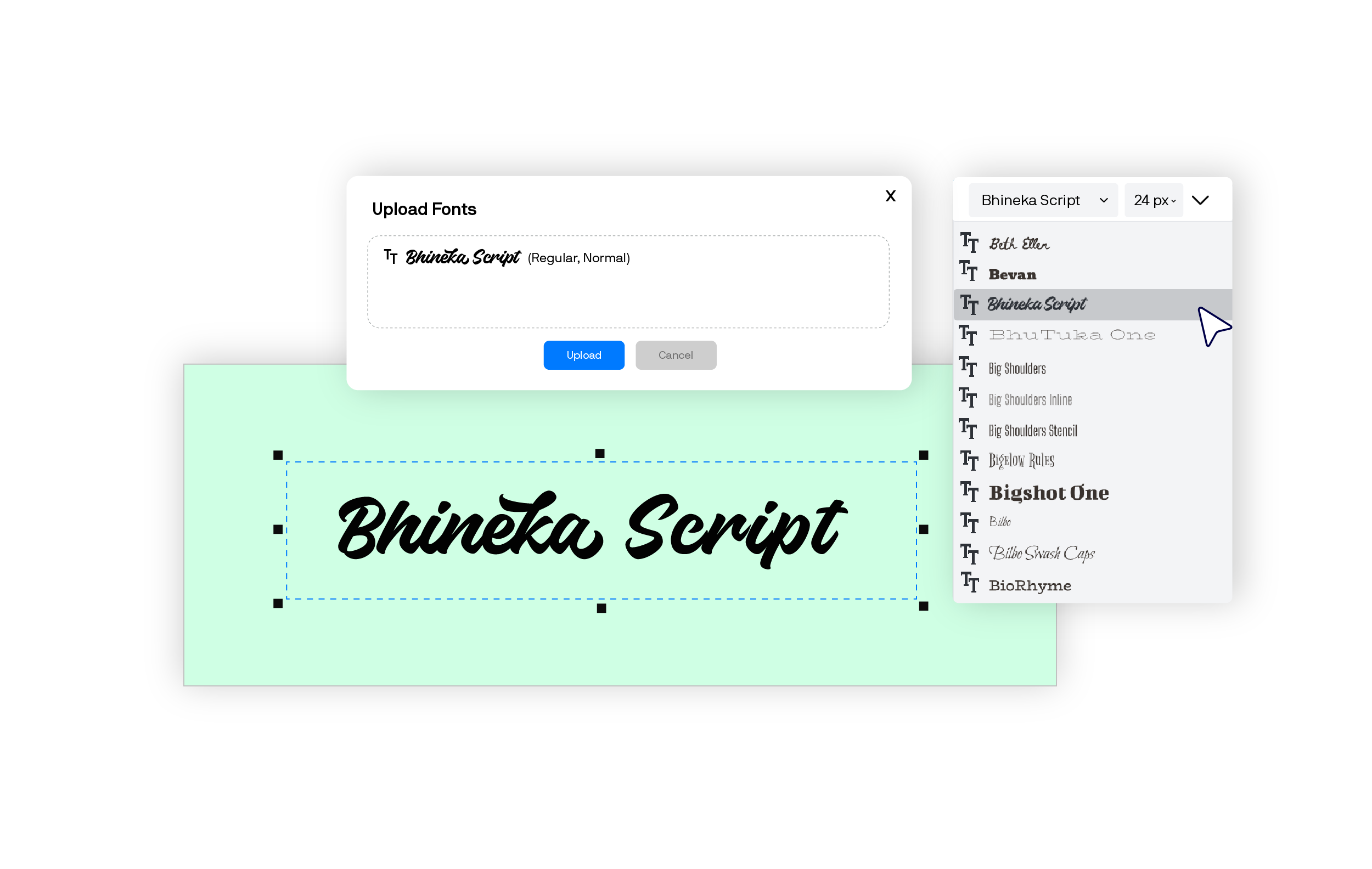
Need to work with a specific brand font, even in your browser? Now you can. With this update, CorelDRAW Web users can upload and work with your own system, brand, and custom fonts.
No more compromising with a default font that’s not quite right but close enough.
Sending a design to production? CorelDRAW Web can now export directly to DWG and DXF, so even from your browser, you can prepare industry-standard files for fabrication.
The team at Corel is always working to improve your experience with CorelDRAW, and this update is no exception. You’ll find fewer interruptions to your creative process with strengthened responsiveness and complex file handing, along with faster performance.
This product update signals the second half of a year of innovation that started in March with the CorelDRAW Graphics Suite 2026 release that brought you text-to-image AI tools and so much more.
These updates are a continuation of that effort. And for CorelDRAW Graphics Suite 2026 users and subscribers, they’re already yours—no extra purchases or actions needed.
Here’s what came out earlier this year for CorelDRAW Graphics Suite 2026:
Read the full story on features like Text-to-image AI in this blog post.
No matter what you use CorelDRAW for, these new and enhanced features are ready to support your creativity, helping you do what you do best, faster and more efficiently.
Already using CorelDRAW Graphics Suite 2026?
Everything listed here is in your current version of CorelDRAW—no extra purchases or actions to take. Try them out now!
On an earlier version of CorelDRAW?
Upgrading to CorelDRAW Graphics Suite 2026 brings you both of this year’s updates at once. Give the new Text-to-vector feature a test drive here.
New to CorelDRAW Graphics Suite?
You can try it for free for 15 days and see how features like Text-to-vector AI could transform your everyday work.
Melanie leads product marketing for Corel's graphics portfolio, including the award-winning CorelDRAW Graphics Suite. As a results-driven marketing professional with a keen eye for design, she focuses on connecting marketers, designers, and businesses with the tools they need to deliver creative projects at work.
Melanie’s formal education spans a range of Marketing Communications disciplines, holding diplomas and certificates in Integrated Marketing Communications, Copywriting, Web Design, Social Media, and Graphic Design.
Her commitment to continuous learning keeps her at the forefront of trends in digital design and creative software, fueling her impact in a rapidly evolving industry. Before joining Corel, Melanie spent over 10 years traveling the world while building her marketing career across industries such as Travel and Tourism, Finance, and Adventure Sports.