1. Create a new project
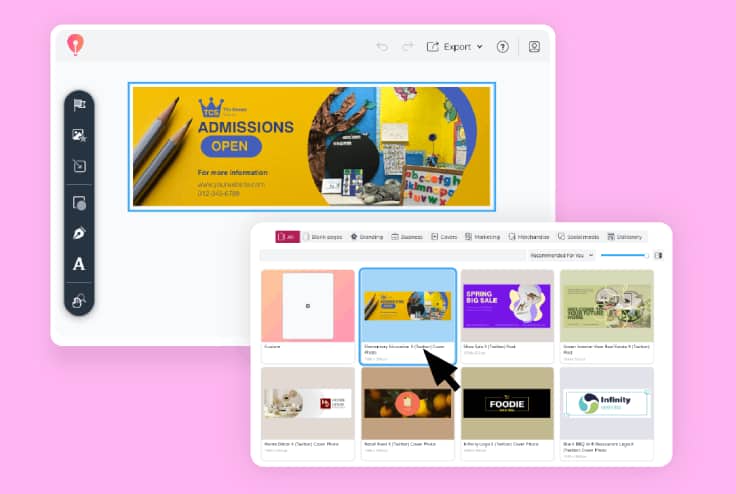
Open CorelDRAW Go and choose a project. You can also get started using your own images.
On social media, your profile is your brand, making your header image your audience’s first impression. Make a bigger impact with CorelDRAW Go—so your brand can shine.
15-day free trial, no credit card required!

Join millions of users across thousands of global organizations who use CorelDRAW.







With CorelDRAW Go, you’ve got the easy-to-edit templates, vector capabilities, and creative and design tools to developX (Twitter) header images that tell the right story—whether you’re a creator, an influencer, or a business. Here’s how it works:
Open CorelDRAW Go and choose a project. You can also get started using your own images.
Know what you want? Need a starting point? You can start from scratch or use one of CorelDRAW Go’s X (Twitter) header templates and fully edit it to make it your own.
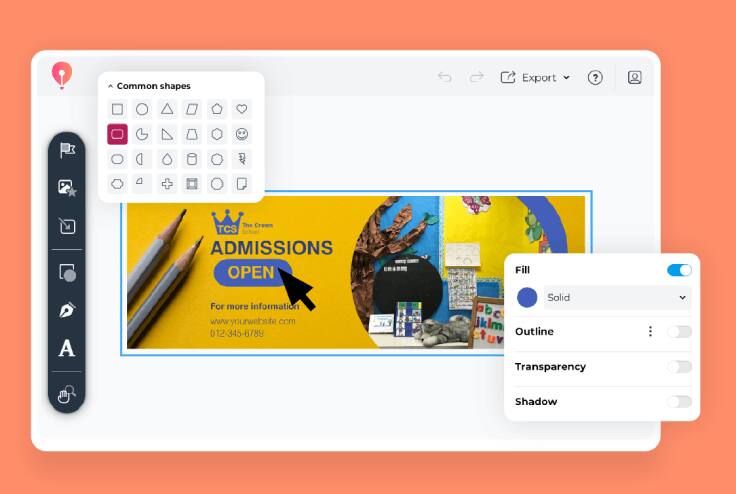
Edit photos, add frames and buttons, work with text, adjust the layout and colors, and more to make your header image stand out.
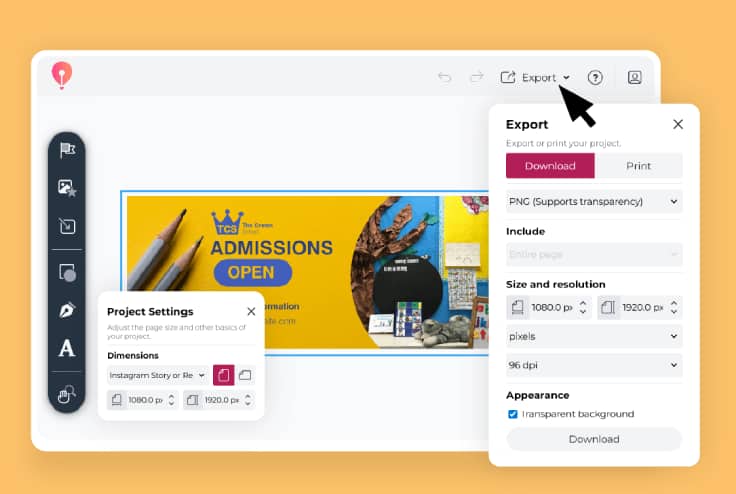
Once your header is complete, simply export it and upload it to your X (Twitter) profile when you’re ready.
“CorelDRAW Go shows just how far web apps have come. It’s essentially a full graphic design toolkit that runs in your web browser.”
- Creative Bloq
See more"Creating and editing vector objects online with CorelDRAW Go gives real creative freedom."
- Ivanberg Moreira, Designer and Content Creator
See moreNeed some X (Twitter) header ideas to get you started?
CorelDRAW Go has a library of pre-designed templates that give you total creative control. You can customize your template by changing colors, replacing images, adding elements, and more.
CorelDRAW Go lets you add and edit your own images so your header graphic is unique.
You can also customize your images with vector and photo editing tools that add text, gradients, brush strokes, shadows, and other effects—which may help with engagement, replies, likes, and retweets.
CorelDRAW Go takes the guesswork out of exporting your design with preset settings for X (Twitter) headers. Once you’re happy with your X (Twitter) template design, simply click Export to download your artwork in the correct format.
Have questions about creating your X (Twitter) header image in CorelDRAW Go? Find answers here.
Yes! It’s an easy process. You can start with a blank canvas, choose a template, or use your photos to start your X (Twitter) header design project.
It does! CorelDRAW Go includes an extensive collection of fully editable X (Twitter) header templates to help you start your projects. See how you can edit templates in this guide.
You can—CorelDRAW Go’s collection of header templates includes a blank template where you can start an X (Twitter) header design from scratch with a preset size and resolution fit for uploading to X (Twitter).
X (Twitter) header graphics use a ratio of 3:1, and the platform recommends using images that are 1500 x 500 px. CorelDRAW Go’s X (Twitter) header templates use these dimensions from the start of your project.